
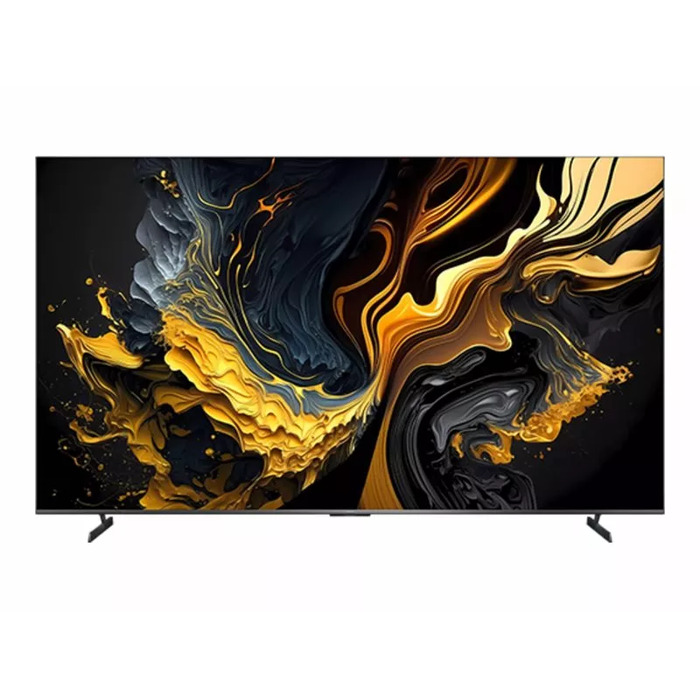
Description
The Xiaomi TV Max 85 features an 85″ QLED 4K Ultra HD display (3840 x 2160) designed for large-screen viewing with clear detail and strong audio. It uses quantum dot technology for a wide colour gamut and supports up to 1.07 billion colours and the DCI-P3 standard. The set offers high refresh rates including native 4K 144Hz, 120Hz MEMC and a 240Hz Game Boost mode, plus variable refresh rate support and low input latency for gaming. The TV runs Google TV, includes Wi‑Fi 6 and Chromecast and AirPlay support, and provides multiple ports including HDMI 2.1. The design highlights a metal narrow bezel and a high screen-to-body ratio. Internal memory is 3 GB RAM and 32 GB storage. Energy efficiency is class G.
Advantages
The TV delivers expansive, high-fidelity images with quantum dot QLED colour performance and professional-grade DCI‑P3 coverage. Fast refresh and MEMC technologies provide smooth motion for sports and gaming, while Game Boost, HDMI 2.1, VRR and ALLM reduce input lag for responsive gameplay. Built-in Dolby Vision and Dolby Atmos support combined with a 2 × 15W driver configuration produce enhanced audiovisual playback. Google TV, Chromecast, AirPlay and Wi‑Fi 6 offer flexible streaming and smart features. The metal full-screen design offers a minimal bezel and large viewing area.
Suitable for
- Home cinema and movie viewing
- Watching live sports and fast-motion content
- Console and PC gaming with low latency
- Streaming and casting content from phones or tablets
- Presentations and trade-show displays
Key specifications
- Model: Xiaomi TV Max 85 (ELA5730EU)
- Display: 85″ QLED, 4K Ultra HD (3840 × 2160)
- Colour: Grey; Quantum dot display; 1.07 billion colours; 94% DCI‑P3
- Refresh rate: 4K 144Hz native; 120Hz MEMC; 240Hz Game Boost; VRR supported
- Response time / latency: ~4 ms (typical gaming latency features)
- Audio: Dolby Vision®, Dolby Atmos®, 2 × 15W drivers (2 tweeters + 2 full range)
- Processor & memory: Quad Cortex‑A73 CPU, 3 GB RAM + 32 GB storage
- Connectivity: HDMI 2.1, Wi‑Fi 6, Chromecast built‑in, Apple AirPlay, Ethernet LAN
- Operating system: Google TV
- Energy class: G (SDR and HDR)
How to use
Connect the TV to power and an antenna or external source as needed. Use the included remote or the Xiaomi Watch 2 with the Xiaomi TV remote app (both devices must be on the same local network) to control channels and volume. For gaming or high-frame-rate content, connect a compatible console or PC via HDMI 2.1 and enable Game Boost, VRR or ALLM in the TV settings. Use Google Assistant via the remote button to search, control apps and operate smart home devices. To cast from mobile devices, use Chromecast built‑in, Miracast or Apple AirPlay.
Usage recommendations
For optimal picture quality, select Filmmaker Mode when watching movies to preserve the original frame rate and colour intent; enable Game Boost and VRR when connecting modern gaming consoles to minimise input lag and achieve smoother motion.
There are no reviews yet.