
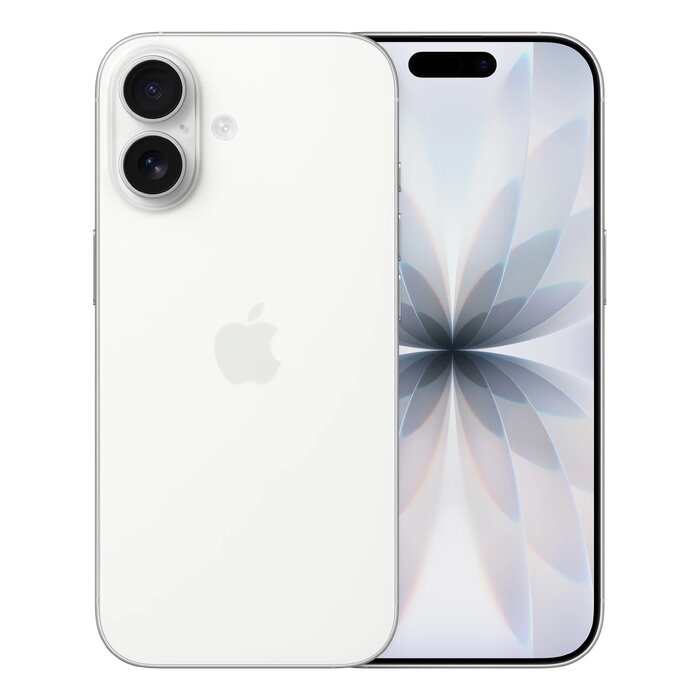
Description
The Apple iPhone 17 in White features a 6.3″ (16 cm) display with 2622 x 1206 resolution and Ceramic Shield 2 for improved scratch resistance. Powered by the A19 chip and running iOS 26, this 256 GB smartphone supports 5G, Dual SIM (NanoSIM + eSIM) and modern wireless connectivity. The device includes a 48 MP dual rear camera system and advanced front-camera features for improved framing and group selfies.
Advantages
This iPhone offers a brighter ProMotion display with up to 120 Hz refresh rate and enhanced durability thanks to Ceramic Shield 2. The A19 chip delivers responsive performance and supports all-day battery life. Photography is improved with a 48 MP Dual Fusion camera system and a new Center Stage front camera for smarter group shots. Built-in Apple Intelligence features and iOS 26 add new capabilities such as Live Translation and image creation tools.
Suitable for
- Everyday smartphone use: calls, messaging, browsing
- Mobile photography and social content creation
- Streaming and media consumption with smooth scrolling (ProMotion)
- Work on the go: email, document access, and cloud services
- High-speed mobile internet and multitasking with 5G and A19
Key specifications
- Display: 6.3″ (16 cm), 2622 x 1206 pixels, ProMotion up to 120 Hz, Ceramic Shield 2
- Processor: Apple A19
- Internal storage: 256 GB
- Cameras: Dual rear 48 MP + 48 MP, front camera with Center Stage
- Connectivity: 5G, Dual SIM (NanoSIM + eSIM), Wi‑Fi 7 (802.11be), Bluetooth 6.0, NFC
- Battery: Lithium‑Ion, wireless charging supported
- Operating system: iOS 26
- Protection and durability: IP68, scratch-resistant Ceramic Shield 2
- Weight: 177 g
- Color: White
How to use
Switch on the iPhone 17 using the side button and follow the on-screen setup to sign in with your Apple ID, restore data or set up as new. Insert a NanoSIM if required and activate eSIM through your carrier. Use the Settings app to connect to Wi‑Fi, pair Bluetooth accessories, and enable cellular data for 5G. Open the Camera app to access the 48 MP dual system and Center Stage front camera; choose photo, video, or ProMotion-supported display modes as needed. Charge the device with a compatible wireless charger or USB-C adapter following Apple’s charging recommendations.
Usage recommendations
For best battery longevity, avoid extreme temperatures, update to the latest iOS 26 patches when available, and use certified chargers. Enable automatic app updates and Apple Intelligence features to maintain security and benefit from new software improvements.
There are no reviews yet.