
Description
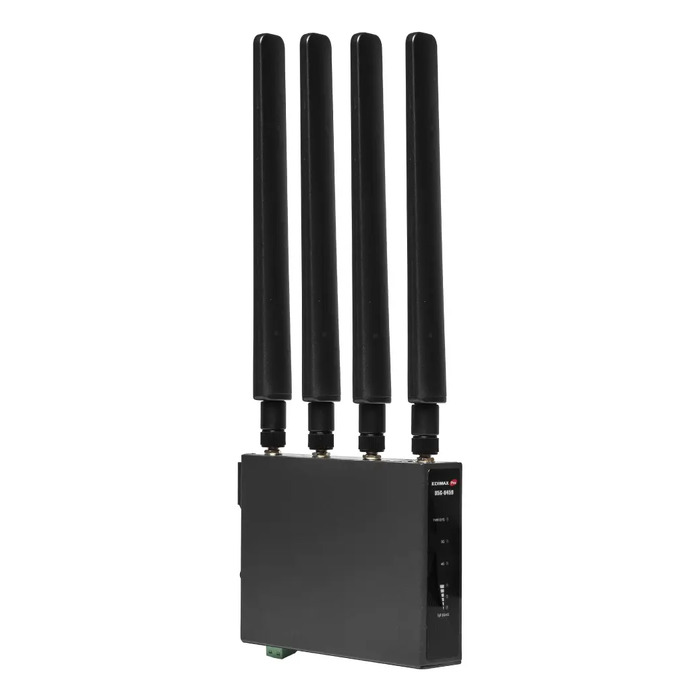
The EDIMAX D5G-8459 Industrial 5G NR DIN-Rail router provides wired and wireless Internet connectivity using 5G NR and 4G LTE, designed for extreme and critical environments with an operating temperature range of -20°C to 70°C. Built on the RM520-GL platform (Qualcomm® Snapdragon X62), the router includes Gigabit wired connectivity, external SMA antenna connectors, LED indicators for power and status, and DIN‑Rail mounting for industrial installations. It supports redundant power, backup connectivity between fixed broadband and cellular networks, and is suitable for streaming, video conferencing and continuous business operations.
Advantages
The D5G-8459 eliminates the need for fixed broadband installation by offering rapid plug-and-play Internet via a SIM card and 5G NR. Its industrial-hardened design includes wide operating temperatures, 6 kV lightning surge protection and power protection for reliable long-term use. The router supports power redundancy (dual power supplies), failover between wired and cellular links, and Gigabit Ethernet performance for demanding data traffic. Built-in management features simplify network configuration and monitoring.
Suitable for
- Temporary offices, events and mobile sites requiring quick Internet deployment
- Industrial installations needing wide-temperature and DIN‑Rail mounting
- Businesses requiring redundant connectivity for payment systems, remote data transfer and online meetings
- Locations without available wired broadband or as emergency backup during outages
Key specifications
- Cellular: 5G NR and 4G LTE support (RM520-GL / Qualcomm® Snapdragon X62)
- Ethernet LAN: 4 × RJ-45 ports, 10/100/1000 Mbit/s
- Mounting: DIN‑Rail bracket
- Operating temperature: -20°C to 70°C
- Protection: 6 kV lightning surge protection and power protection
- Antennas: external SMA connectors
- Weight: 0.591 kg
- Color: Black
How to use
Install the router on a DIN‑Rail or other appropriate mounting, attach external antennas to the SMA connectors, and connect Ethernet devices to the RJ‑45 LAN ports. Insert a compatible SIM card to enable cellular Internet and configure WAN preferences via the web-based management utility. Use the management interface to set failover order (cellular or wired priority), configure VPN client settings, access control, port forwarding and other network options. Ensure appropriate power connections and, if required, install dual power supplies for redundancy.
Usage recommendations
For reliable operation in industrial environments, verify signal coverage for the intended deployment site and use the DIN‑Rail mounting and surge protection features. Configure power redundancy and link failover before putting the device into critical service, and keep firmware updated via the management interface.
There are no reviews yet.