
Description
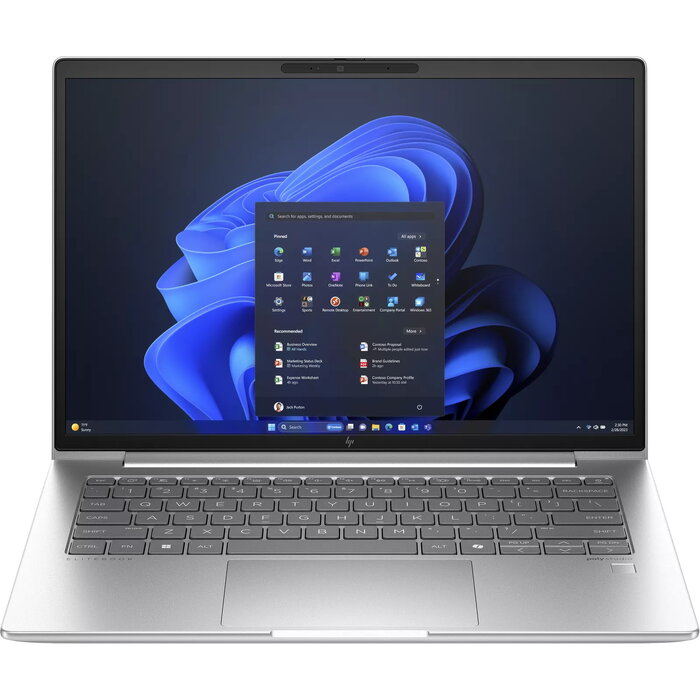
The HP EliteBook 645 G11 is a business-class 14″ (35.6 cm) clamshell laptop with a 16:10 WUXGA (1920 x 1200) display, AMD Ryzen™ 5 7535U processor and Windows 11 Pro. It offers 16 GB DDR5 memory, a 512 GB SSD and integrated AMD Radeon 660M graphics in a silver chassis weighing 1.39 kg. The device supports Wi‑Fi 6E and 4G mobile connectivity and includes a range of configurable security and management features for enterprise deployment.
Advantages
The 16:10 screen ratio increases usable vertical space and reduces scrolling for documents and web pages. The AMD Ryzen™ 5 7535U delivers a balance of performance and power efficiency suitable for everyday office workloads. DDR5 memory and a fast 512 GB SSD provide responsive multitasking and quick access to files. Built-in Wi‑Fi 6E and optional 4G support enable flexible connectivity, while enterprise-grade security and manageability simplify IT integration and configuration.
Suitable for
- Office productivity and document editing
- Remote work and mobile connectivity
- Web conferencing and collaboration
- IT-managed business deployments
Key specifications
- Processor: AMD Ryzen™ 5 7535U, 2.9 GHz
- Display: 14″ (35.6 cm) WUXGA, 1920 x 1200, 16:10
- Memory: 16 GB DDR5-SDRAM
- Storage: 512 GB SSD
- Graphics: Integrated AMD Radeon 660M
- Connectivity: Wi‑Fi 6E (802.11ax), 4G
- Operating system: Windows 11 Pro
- Weight: 1.39 kg
- Color: Silver
How to use
Power on the laptop and complete the Windows 11 Pro initial setup using your company or personal Microsoft account. Connect to corporate Wi‑Fi 6E networks or insert a compatible SIM for 4G access as needed. Use the built-in display, keyboard and touchpad for daily productivity tasks; additional peripherals can be attached via USB or docking solutions supported by your IT department. Use the provided management tools and security settings to enroll the device into your organisation’s device-management platform.
Usage recommendations
For best performance and longevity, keep system firmware and drivers up to date, use the latest Windows updates, and follow your organisation’s IT policies for configuration and security. Consider configuring power profiles to balance battery life and performance when mobile.
There are no reviews yet.