
Description
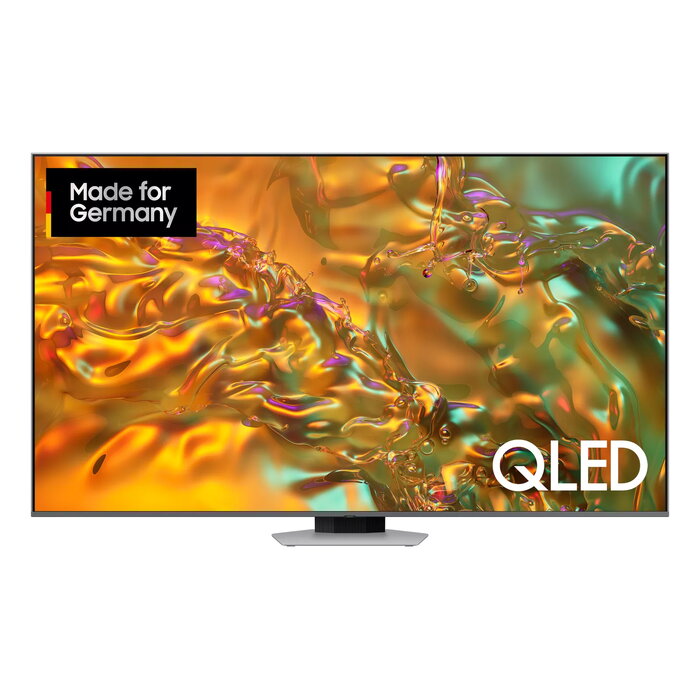
The Samsung Q80D GQ65Q80DATXZG 65″ QLED 4K Ultra HD is a 65-inch smart television with a QLED panel and native 3840 x 2160 resolution. It uses Direct-LED backlighting and Motion Xcelerator technology to maintain smooth motion reproduction. The TV runs the Tizen operating system, supports DVB-C, DVB-S2 and DVB-T2 digital formats, and provides wired and wireless network connectivity via Ethernet LAN and Wi‑Fi. The model is finished in a silver colour and is intended for living-room and home-entertainment use where high-resolution picture quality and reliable smart features are required.
Advantages
The QLED display delivers improved colour volume compared with conventional LCD panels, while Direct-LED backlighting provides even illumination across the 65″ screen. Motion Xcelerator helps reduce motion blur for sports and fast-moving scenes. Integrated Tizen OS offers access to streaming apps and network services. Built-in support for DVB-C, DVB-S2 and DVB-T2 ensures compatibility with common digital broadcast sources. Wired Ethernet and Wi‑Fi connectivity options cover streaming and smart features in different home network setups.
Suitable for
- Living-room and home theatre setups requiring a 65″ 4K display
- Watching live sports and movies with improved motion handling
- Streaming content via apps on the Tizen smart platform
- Receiving digital broadcasts (DVB-C, DVB-S2, DVB-T2)
Key specifications
- Display diagonal: 65″ (163 cm)
- Display technology: QLED
- Resolution: 3840 x 2160 (4K Ultra HD)
- LED backlighting: Direct-LED
- Motion technology: Motion Xcelerator
- Operating system: Tizen
- Digital tuner: DVB-C, DVB-S2, DVB-T2
- Connectivity: Wi‑Fi and Ethernet LAN
- Product colour: Silver
- Energy class (SDR/HDR): G / G; Consumption per 1000 h: 105 kWh (SDR), 269 kWh (HDR)
- Manufacturer model: Samsung Q80D GQ65Q80DATXZG (MPN: GQ65Q80DATXZG, EAN: 8806095425573)
How to use
Place the TV on a stable surface or mount it according to the VESA specifications in the user manual. Connect the power cable and use the built-in Ethernet port or the Wi‑Fi settings in Tizen to join your home network. Use the on-screen setup to tune digital channels (DVB-C, DVB-S2, DVB-T2) and to sign in to streaming apps. Adjust picture settings such as brightness, contrast and motion processing via the settings menu to suit viewing conditions. For best audio results, connect an external sound system through HDMI eARC or optical audio if required.
Usage recommendations
For optimal picture performance, allow the TV to run for a few hours after initial setup so panel behaviour stabilises. When viewing fast-motion content such as sports or action films, enable Motion Xcelerator and select an appropriate picture mode. To reduce energy consumption, use power-saving picture modes or set automatic standby times. Keep firmware updated via the Tizen system updates to maintain compatibility with apps and services.
There are no reviews yet.