
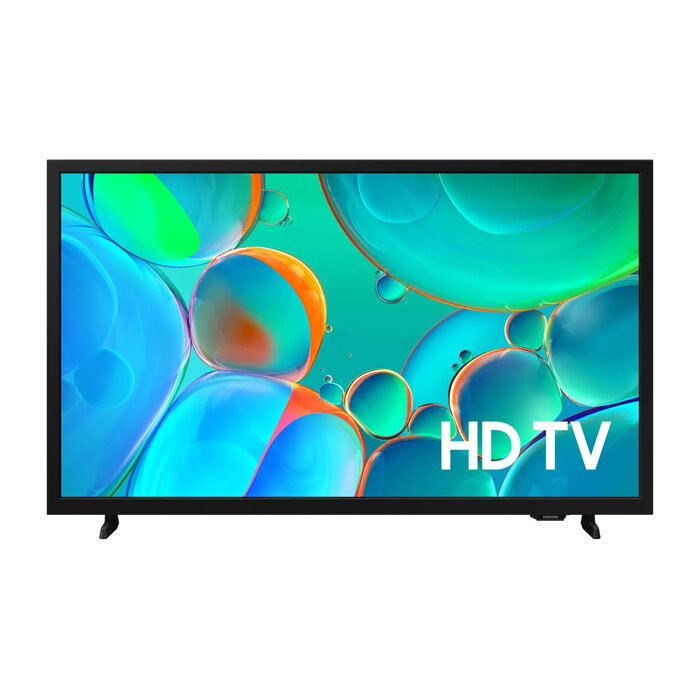
Description
The Samsung UE32H5002FKXXH 32″ HD LED 1366×768 is a 32-inch television with LED backlighting and an HD resolution of 1366 x 768 pixels. It runs Tizen OS, supports DVB-T2C digital broadcasting and provides both Wi‑Fi and Ethernet LAN connections for network features. The TV comes in a black finish and is designed for everyday viewing of broadcast TV, streaming apps and multimedia content.
Advantages
The built-in Tizen operating system gives access to Smart TV functions and common streaming services without additional devices. LED display technology delivers uniform backlight and reliable image reproduction for HD content at a native 16:9 aspect ratio. Integrated DVB-T2C tuner enables reception of digital terrestrial channels, and dual connectivity via Wi‑Fi and Ethernet LAN supports both wireless and wired network setups. The compact 32″ (80 cm) screen size fits smaller rooms while maintaining readable image detail for typical viewing distances.
Suitable for
- Living rooms, bedrooms or kitchens with limited space
- Watching broadcast TV via DVB-T2C
- Streaming video services and on-demand content using Tizen OS
- Secondary TVs in offices, small apartments or dormitories
Key specifications
- Model: Samsung UE32H5002FKXXH
- Display diagonal: 32″ (80 cm)
- Display technology: LED
- Resolution: 1366 x 768 (HD)
- Aspect ratio: 16:9
- Operating system: Tizen
- Digital tuner: DVB-T2C
- Network: Wi‑Fi and Ethernet LAN
- Colour: Black
- Energy class (SDR): F; Energy class (HDR): G
- Energy consumption (SDR) per 1000 h: 27 kWh; (HDR) per 1000 h: 44 kWh
- MPN: UE32H5002FKXXH; EAN: 8806095969893
How to use
Place the TV on a stable surface or mount it according to the manufacturer’s instructions and connect the power cable. Use the built‑in DVB‑T2C tuner to scan for terrestrial channels or connect to a home network via Wi‑Fi or Ethernet to access streaming applications provided by Tizen OS. Adjust picture and sound settings through the settings menu to match viewing preferences and room lighting. Connect external devices such as set‑top boxes, game consoles or media players via HDMI or other available ports for additional content sources.
Usage recommendations
For optimal viewing, position the TV at eye level and maintain an adequate distance from the screen — typically about 1.5 to 2.5 times the diagonal (80–200 cm for a 32″ display). To reduce power consumption, use energy‑saving picture modes and turn off the TV when not in use. Keep firmware updated through the Tizen settings to ensure access to the latest apps and security improvements.
There are no reviews yet.