
Description
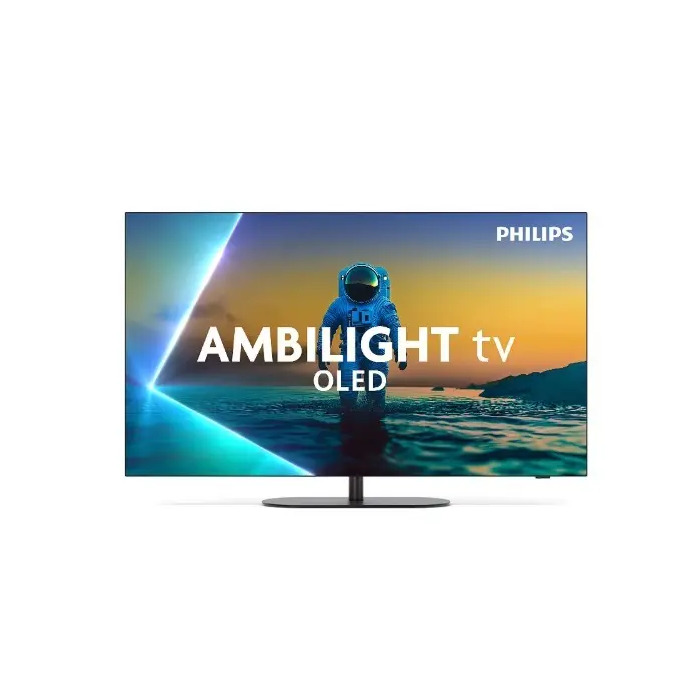
The Philips 42OLED820/12 is a 42″ OLED 4K Ultra HD TV with a native resolution of 3840×2160 and a 144 Hz refresh rate. It uses Philips Pixel Precise Ultra HD picture processing, supports HDR including Hybrid Log-Gamma (HLG), and employs Micro Dimming and Ambilight to enhance perceived contrast and viewing experience. The TV runs Google TV, provides Wi‑Fi 5 and Bluetooth 5.2 connectivity, and includes built-in tuner support for both analog and digital signals.
Advantages
This television combines OLED panel technology with a high native refresh rate and advanced picture processing for clear, detailed images and smooth motion. Integrated Ambilight expands the viewing impression, while Game features such as Auto Low Latency Mode (ALLM), Variable Refresh Rate (VRR) and Game Bar 2.0 make it suitable for gaming. The set offers wide connectivity with four HDMI 2.1 ports (eARC, HDCP 2.3) and smart platform functions via Google TV, including voice control with Google Assistant and Amazon Alexa.
Suitable for
- 4K movie and TV streaming
- Console and PC gaming with ALLM and VRR
- Smart TV apps and casting via Google TV and Chromecast
- Living room use with Ambilight for immersive viewing
Key specifications
- Display: 42″ (106.7 cm) OLED, 3840×2160 (4K Ultra HD), 16:9 native aspect ratio
- Native refresh rate: 144 Hz; supported refresh rates include 60 Hz
- Picture processing: Philips Pixel Precise Ultra HD; backlight dimming: Micro Dimming
- HDR: Hybrid Log-Gamma (HLG) supported
- Audio: 2.1 channels, 50 W RMS, Dolby Atmos and DTS:X support, eARC
- Smart platform: Google TV with HbbTV and built-in apps (e.g., HBO)
- Connectivity: Wi‑Fi 5 (802.11ac), Bluetooth 5.2
- Ports: 4× HDMI 2.1 (eARC, HDCP 2.3), 2× USB 2.0, CEC (EasyLink), ARC
- Tuner: Analog and digital (DVB‑S compatible)
- Design: Flat screen, black colour, legs stand; VESA panel mounting interface 600×400 mm
- Dimensions (with stand): 932 × 208 × 606 mm; weight with stand: 15.2 kg
- Power: AC 100–240 V, 50/60 Hz; standby power 0.5 W; energy classes: G (SDR/HDR); energy consumption SDR: 52 kWh/1000 h, HDR: 61 kWh/1000 h
How to use
Place the TV on a stable surface or mount it using the VESA 600×400 mm interface. Connect sources via HDMI 2.1 ports for best performance with 4K/144 Hz signals and enable eARC on compatible receivers to pass high-quality audio formats. Use the Google TV interface to sign in to your streaming accounts, install apps, and configure Wi‑Fi and Bluetooth. For gaming, enable Auto Low Latency Mode and VRR in the TV settings and adjust Game Bar 2.0 options as required. The included remote control provides direct access to common smart functions and voice assistants.
Usage recommendations
For optimal picture quality with HDR content, use HDMI 2.1 connections and enable the corresponding HDR mode in source devices. When gaming at high refresh rates, verify that the game console or PC is set to output 4K at 120–144 Hz and enable VRR and ALLM on both console/PC and TV. To reduce power use, activate ECO mode and auto power off when the TV is not in use.
There are no reviews yet.