
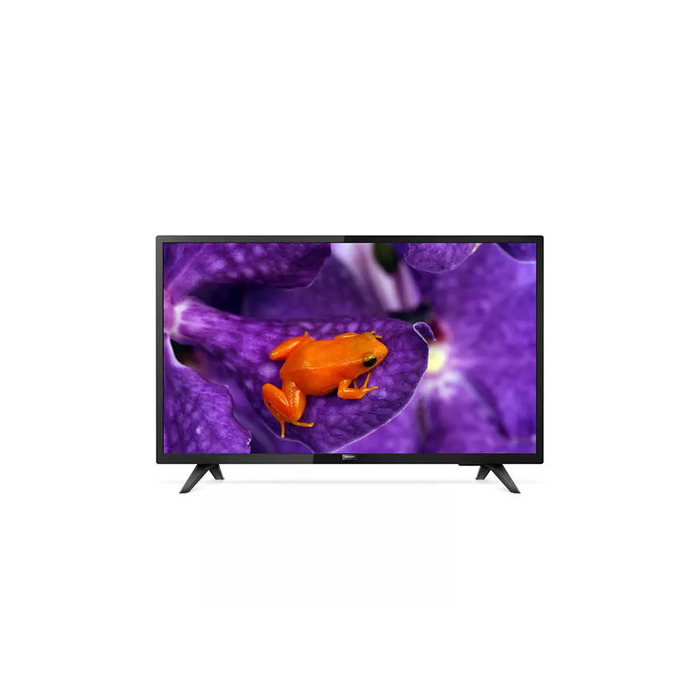
Description
The Philips 32HFL5114/12 is a 32-inch (81.3 cm) Full HD Smart TV with LED display technology and a 1920 x 1080 resolution. Designed for professional and hospitality environments, it runs Android OS and offers built-in Chromecast, Google Play Store access, and integrated apps to simplify content delivery and device management. The display supports DVB-C, DVB-T and DVB-T2 digital signals and provides wired and wireless network connectivity (Ethernet LAN and Wi‑Fi) for streaming, app installation and remote management.
Advantages
This Philips MediaSuite model includes Chromecast built-in for easy, secure casting from mobile devices and tablets in up to 4K, full access to the Google Play Store for apps and media, and a customizable user interface for adding your logo and brand colours. On-board analytics collect usage statistics, while AppControl and CMND & Control enable centralised remote app installation, software updates and fleet monitoring. The TV also features integrated Netflix access with a dedicated remote button and supports optional Google Assistant voice control via a compatible remote.
Suitable for
- Hotel rooms and hospitality suites
- Meeting rooms and conference areas
- Waiting areas and public spaces
- Small bars, cafes and retail display
Key specifications
- Model: Philips 32HFL5114/12
- Display size: 32″ (81.3 cm)
- Resolution: Full HD 1920 x 1080
- Display technology: LED, flat screen
- Operating system: Android
- Connectivity: Wi‑Fi, Ethernet LAN
- Supported digital signals: DVB‑C, DVB‑T, DVB‑T2
- Brightness: 250 cd/m²
- Colour: Black
- Energy class (SDR): F; Energy consumption: 29 kWh/1000 h
How to use
Connect the TV to power and to your local network via Wi‑Fi or Ethernet. Sign in with a Google account to access the Google Play Store, install apps and use Chromecast built-in for casting from compatible devices. Use AppControl and CMND & Control to deploy, update and manage apps and settings remotely across multiple displays. For voice control, pair the optional Google Assistant enabled remote (model 22AV2025B/00) and follow on-screen instructions to enable voice features. Press the dedicated Netflix button on the remote to launch Netflix once your account has been activated.
Usage recommendations
For reliable operation in professional environments, keep the TV firmware and apps up to date via CMND & Control or automatic Android updates. Use AppControl to restrict or standardise installed apps across a fleet. For hospitality deployments, customise the UI with your logo and language settings using CMND & Check‑in to provide personalised guest experiences.
There are no reviews yet.