
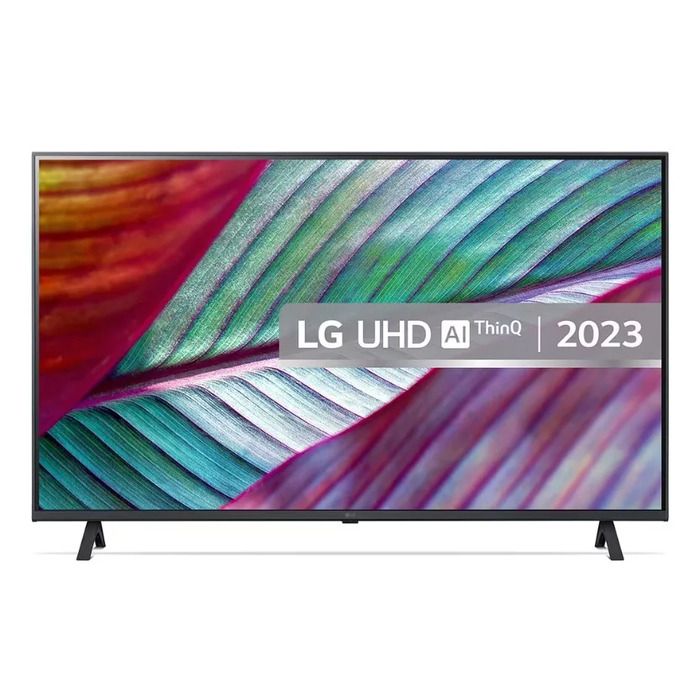
Description
The LG 75UR78006LK.AEUD is a 75″ 4K Ultra HD LED TV with a 3840 x 2160 resolution and Direct‑LED backlighting. Running webOS, it offers smart features including Wi‑Fi and Ethernet LAN connectivity, HDR10 Pro support for improved brightness and colour, the α5 AI Processor 4K Gen6 for upscaling and image enhancement, and a slim design with a minimal bezel that suits modern interiors. Energy classes are F (SDR) and G (HDR), and the set comes in black.
Advantages
This TV displays native 4K resolution on a large 75″ screen for detailed, sharp images and uses HDR10 Pro to optimise brightness and contrast. The α5 AI Processor 4K Gen6 improves non‑4K content by upscaling to 4K. webOS provides personalised features such as My Profile, Quick Card and AI Concierge, while built‑in support for Amazon Alexa, Apple AirPlay, HomeKit and Matter extends connectivity with smart home devices. The TV also supports convenient pairing with sound bars and offers game‑friendly features like Game Optimizer and Dashboard.
Suitable for
- Home cinema and movie watching on a large 75″ screen
- Streaming content from major platforms via Wi‑Fi or Ethernet
- Upscaling and viewing non‑4K material in 4K
- Gaming with fast, smooth performance and quick access to game settings
- Integration into smart home setups (Alexa, AirPlay, HomeKit, Matter)
Key specifications
- Model: LG 75UR78006LK.AEUD
- Screen size: 75″ (190.5 cm)
- Resolution: 3840 x 2160 (4K Ultra HD)
- Display technology: LED, Direct‑LED backlight
- Processor: α5 AI Processor 4K Gen6
- HDR: HDR10 Pro
- Operating system: webOS (webOS 23 features like My Profile, Quick Card, AI Concierge)
- Connectivity: Wi‑Fi, Ethernet LAN; Apple AirPlay and Amazon Alexa built‑in
- Colour: Black
- Energy class: F (SDR), G (HDR)
- Energy consumption (per 1000 h): 127 kWh (SDR), 190 kWh (HDR)
How to use
Place the TV on a stable stand or mount it on a compatible wall bracket following the manufacturer’s instructions. Connect to your home network via Wi‑Fi or Ethernet to access streaming services and smart features. Use the on‑screen setup to sign into or create a webOS account, personalise My Profile and arrange Quick Cards. For best picture with non‑4K sources, enable the α5 AI upscaling features in picture settings. Connect a sound bar or external audio system and select the appropriate sound mode; when paired with an LG sound bar some modes switch automatically.
Usage recommendations
For optimal picture quality, use HDR10 Pro content where available and adjust picture presets to match viewing conditions. Place the TV in a room with controlled ambient lighting to reduce reflections on the large screen. Ensure proper ventilation around the unit and follow energy‑saving settings in webOS to reduce power consumption.
There are no reviews yet.