
Description
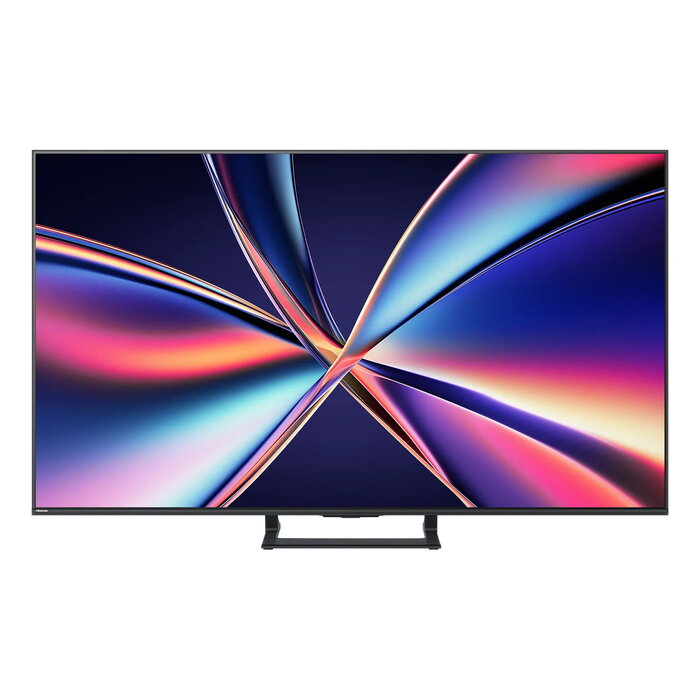
The Hisense 65E8Q is a 65″ (165.1 cm) 4K Ultra HD Smart TV with Mini LED backlighting and a native resolution of 3840 x 2160 pixels. It runs the VIDAA operating system and combines high brightness and contrast with smart connectivity options for home entertainment. The TV offers a brightness of 600 cd/m², a 6.5 ms response time and a static contrast ratio of 5000:1, and supports multiple broadcast standards.
Advantages
Mini LED backlighting improves local dimming precision and contrast compared with standard LED panels while the 4K Ultra HD resolution provides detailed picture quality suitable for movies and gaming. Built-in smart features, Wi‑Fi and Ethernet allow streaming and screen mirroring, and broad tuner support (DVB‑C/S/S2/T/T2) ensures reception of terrestrial, cable and satellite signals. VESA 400 x 400 mm mounting compatibility simplifies wall installation.
Suitable for
- Living rooms and home cinemas requiring a 65″ 4K display
- Streaming services and smart TV apps via Wi‑Fi or Ethernet
- Watching broadcast TV from cable, satellite or terrestrial sources
- Wall mounting using VESA 400 x 400 mm brackets
Key specifications
- Model: Hisense 65E8Q
- Screen size: 65″ (165.1 cm)
- Display type: LED with Mini LED backlighting
- Resolution: 4K Ultra HD — 3840 x 2160
- Brightness: 600 cd/m²
- Response time: 6.5 ms
- Contrast ratio: 5000:1
- HDR: supported
- Smart TV: VIDAA OS, Internet TV, screen mirroring
- Tuners: DVB‑C, DVB‑S, DVB‑S2, DVB‑T, DVB‑T2
- Connectivity: Wi‑Fi, Ethernet LAN, Bluetooth
- VESA mounting: 400 x 400 mm
- Energy consumption (SDR): 84 kWh/1000 h (class E)
- Energy consumption (HDR): 160 kWh/1000 h (class G)
- Colour: Black / Grey
How to use
Place the TV on a stable stand or mount it to the wall using a VESA 400 x 400 mm bracket. Connect an aerial, satellite dish or cable line to the appropriate tuner input for live TV, or connect the TV to the local network via Wi‑Fi or Ethernet to access streaming apps through the VIDAA operating system. Use the remote control or on‑screen menus to run the initial setup, tune channels and configure picture and audio settings. For external devices, use available HDMI/USB ports (refer to the device manual for exact port locations).
Usage recommendations
Set the picture mode according to content type (cinema for movies, game mode for consoles) and enable HDR where source content supports it. Ensure adequate ventilation around the unit and avoid placing the TV in direct sunlight to maintain optimal display performance and reduce energy consumption.
There are no reviews yet.