
Description
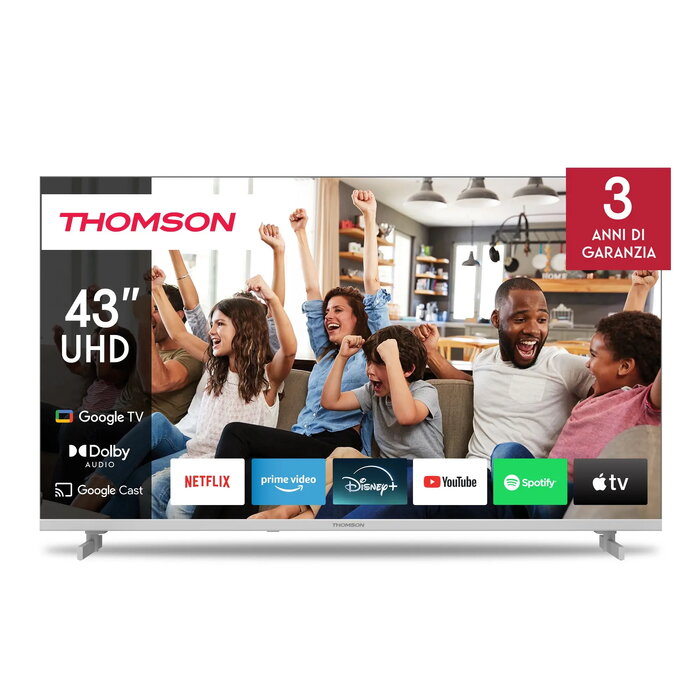
The Thomson 43UG4S14W 43″ 4K Ultra HD LED television offers a 43-inch (109 cm) LED screen with 3840 x 2160 resolution and Direct-LED backlighting. Running Google TV, the set provides smart streaming capabilities via built-in Wi‑Fi and Ethernet LAN and supports multiple broadcast formats including DVB‑C, DVB‑S, DVB‑S2, DVB‑T and DVB‑T2. The white cabinet and 16:9 native aspect ratio make the Thomson 43UG4S14W suitable for living rooms, bedrooms or secondary viewing areas where a balance of image detail and compact size is required.
Advantages
The Thomson 43UG4S14W combines a high-resolution 4K Ultra HD panel with Direct-LED backlighting to deliver clear detail at native 3840 x 2160 pixels and a typical contrast ratio of 5000:1. Google TV provides an integrated smart platform for apps and streaming services while Wi‑Fi and Ethernet options enable flexible network connections. The TV supports a broad range of digital broadcast standards (DVB‑C/S/S2/T/T2), ensuring compatibility with terrestrial, cable and satellite sources. Energy consumption ratings are specified per 1000 hours for both SDR (50 kWh) and HDR (51 kWh), and the enclosure comes in a white finish that complements modern interiors.
Suitable for
- Watching 4K streaming content from apps and services via Google TV
- Receiving terrestrial, cable and satellite digital TV broadcasts (DVB‑T/T2, DVB‑C, DVB‑S/S2)
- Placement in living rooms, bedrooms, guest rooms or kitchens where a 43″ display fits
- Users who prefer a compact 16:9 4K screen with a white design
Key specifications
- Display diagonal: 43″ (109 cm)
- Resolution: 3840 x 2160 (4K Ultra HD)
- Display technology: LED with Direct‑LED backlighting
- Aspect ratio: 16:9
- Typical contrast ratio: 5000:1
- Operating system: Google TV
- Connectivity: Wi‑Fi and Ethernet LAN
- Supported broadcast formats: DVB‑C, DVB‑S, DVB‑S2, DVB‑T, DVB‑T2
- Energy efficiency class: F (SDR: F, HDR: F)
- Energy consumption per 1000 h: SDR 50 kWh, HDR 51 kWh
- Product colour: White
How to use
Place the Thomson 43UG4S14W on a stable stand or mount it on a compatible VESA wall bracket following the manufacturer’s installation guidelines. Connect the power cable and select the preferred network connection: connect an Ethernet cable to the LAN port for a wired connection or configure Wi‑Fi through the Google TV initial setup. Use the on‑screen setup to tune terrestrial, cable or satellite channels if an antenna or satellite input is connected. Install and sign into apps via Google TV to stream content; adjust picture and sound settings from the settings menu to suit viewing preferences.
Usage recommendations
For consistent picture quality, use high‑speed HDMI cables when connecting external 4K sources, keep the TV firmware up to date via network updates, and position the TV at eye level for typical seating distance to reduce glare and optimize viewing comfort.
There are no reviews yet.