
Description
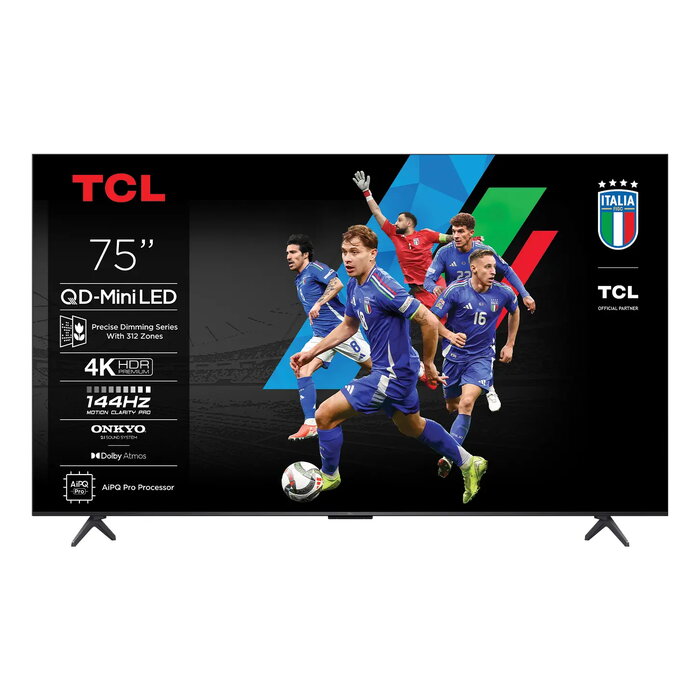
The TCL C6K 75C6K is a 75″ 4K Ultra HD smart TV with QD-Mini LED display technology and a resolution of 3840 x 2160. Combining QLED color performance with Mini LED local dimming, this model offers high peak brightness, wide color gamut and precise backlight control. The TV runs Google TV, supports DVB-C/DVB-S2/DVB-T2 signals and includes Wi‑Fi and Ethernet connectivity. Its metallic finish and slim design suit living rooms where a large, high-quality screen is required.
Advantages
QD‑Mini LED brings pixel‑level backlight precision that enhances contrast and color while extending panel lifespan. The set integrates TCL’s All‑domain Halo Control technologies — including a high‑efficiency light‑emitting chip, condensed micro lens and Micro‑OD zoning — to reduce haloing and improve black uniformity. Native 144 Hz refresh rate, AiPQ Pro image processor with Ai Contrast/Ai Color/Ai Clarity/Ai Motion/Ai HDR features, and support for multiple HDR formats deliver smoother motion, clearer details and wide dynamic range. Audio is handled by an ONKYO 2.1 Hi‑Fi system with a dedicated subwoofer, plus DTS Virtual:X and Dolby Atmos support. HDMI 2.1, AMD FreeSync Premium Pro and Gamebar features provide gaming‑oriented functionality.
Suitable for
- Home cinema viewing of movies and series
- Console and PC gaming with low latency and VRR
- Watching live sports and fast motion content
- Bright rooms where high HDR brightness and anti‑glare panel help visibility
Key specifications
- Model: TCL C6K 75C6K
- Screen size: 75″ (191 cm)
- Resolution: 4K Ultra HD (3840 x 2160)
- Display technology: QD‑Mini LED with up to 512 dimming zones (Precise Dimming)
- Panel: Matte HVA, native contrast ~5000:1
- Refresh rate: 144 Hz native
- Processor: AiPQ Pro
- HDR: Dolby Vision, HDR10+, HDR10, HLG; SDR→HDR upscaling
- Audio: ONKYO 2.1 Hi‑Fi system with subwoofer, DTS Virtual:X, Dolby Atmos
- Smart TV OS: Google TV
- Connectivity: Wi‑Fi, Ethernet LAN, HDMI 2.1
- Energy class: E (SDR) / G (HDR)
- Colour: Metallic
How to use
Place and mount the TV following the included instructions; the ultra slim design supports wall mounting for a flush installation. Connect sources via HDMI 2.1 for best gaming performance and enable VRR/FreeSync on compatible consoles or PCs. Use the Google TV interface to sign in to streaming apps and update the system. For HDR content ensure the source and player support the chosen HDR format (Dolby Vision, HDR10+, HDR10 or HLG). Adjust picture presets or use AiPQ Pro automatic tuning to match viewing conditions.
Usage recommendations
For best picture uniformity and minimal halo effect, enable the Precise Dimming and local contrast features in the picture settings and keep firmware up to date. In bright rooms use the Matte HVA panel and increase backlight/HDR brightness; in dark rooms reduce backlight or use a movie/dark room picture mode to preserve deep blacks.
There are no reviews yet.