
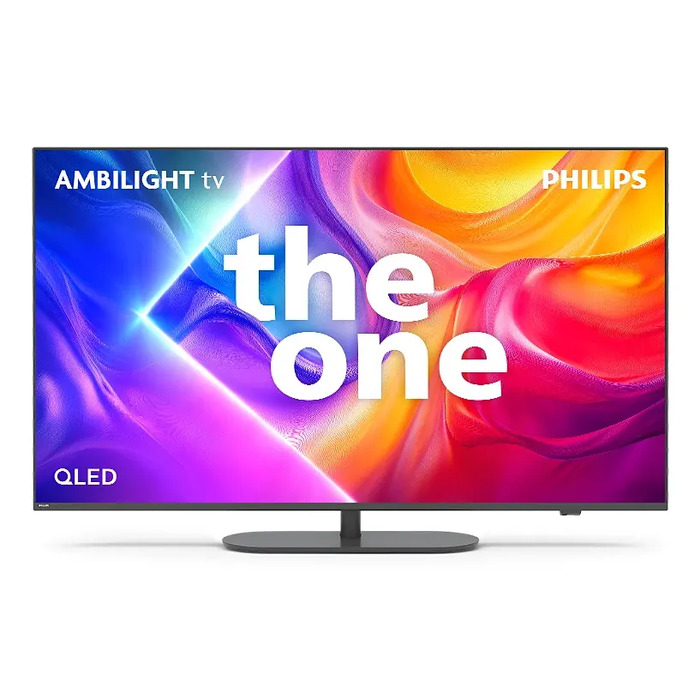
Description
The Philips Ambilight 43PUS9000/12 is a 43″ 4K Ultra HD QLED Smart TV with integrated Ambilight LEDs on the rear that extend the picture beyond the screen. It delivers 3840 x 2160 resolution with HDR support, runs Titan OS for fast access to streaming apps, and includes Wi‑Fi and Bluetooth connectivity. The set supports multiple broadcast standards (DVB‑C/S/T) and offers Dolby Vision, Dolby Atmos and DTS:X audio technologies for enhanced cinematic and 3D sound reproduction.
Advantages
Ambilight integrated lighting creates ambient colour that adapts to on‑screen content, making the image appear larger and more immersive. The 4K QLED panel combined with the Philips P5 picture engine provides vivid colours, high contrast and detailed, natural motion. Gaming features such as VRR up to 144 Hz, HDMI 2.1, low input lag and FreeSync Premium deliver responsive gameplay. Smart TV functions on Titan OS and Matter compatibility allow easy access to streaming services and integration with smart home ecosystems.
Suitable for (tasks / use cases)
- Watching movies and TV series with enhanced picture and surround sound
- Console and PC gaming with low latency and high refresh support
- Streaming apps and smart home control via Titan OS and Matter
- Living rooms where immersive lighting and large-screen presence are desired
Key specifications
- Display: 43″ (109.2 cm) QLED
- Resolution: 4K Ultra HD 3840 x 2160, aspect ratio 16:9
- Operating system: Titan OS (Smart TV)
- HDR formats supported: Dolby Vision and other HDR formats
- Audio: Dolby Atmos, DTS:X
- Connectivity: Wi‑Fi, Bluetooth, HDMI 2.1 (VRR, 144 Hz support)
- Broadcast standards: DVB‑C, DVB‑S, DVB‑S2, DVB‑T, DVB‑T2, DVB‑T2 HD
- Energy consumption (SDR): 51 kWh per 1000 h; Energy class (SDR): F
- VESA mounting: 100 x 200 mm
- Colour: Grey
How to use
Place the TV on a stable surface or mount it on a VESA 100 x 200 mm wall bracket. Connect your source devices via HDMI (HDMI 2.1 recommended for gaming) or use the built‑in Wi‑Fi and apps on Titan OS to stream content. Use the remote to access Ambilight settings, picture modes and sound profiles such as Vocal Boost for clearer dialogue. Enable Matter integration in the TV settings to connect with compatible smart home apps and voice assistants.
Usage recommendations
For best picture and immersive Ambilight effects, position the TV with some free wall space behind it and calibrate picture mode according to ambient lighting. Use HDMI 2.1 cables for high refresh rate gaming and enable VRR/FreeSync on both console/PC and TV. To reduce energy use, choose appropriate picture brightness and use available eco modes when not playing HDR content.
There are no reviews yet.