
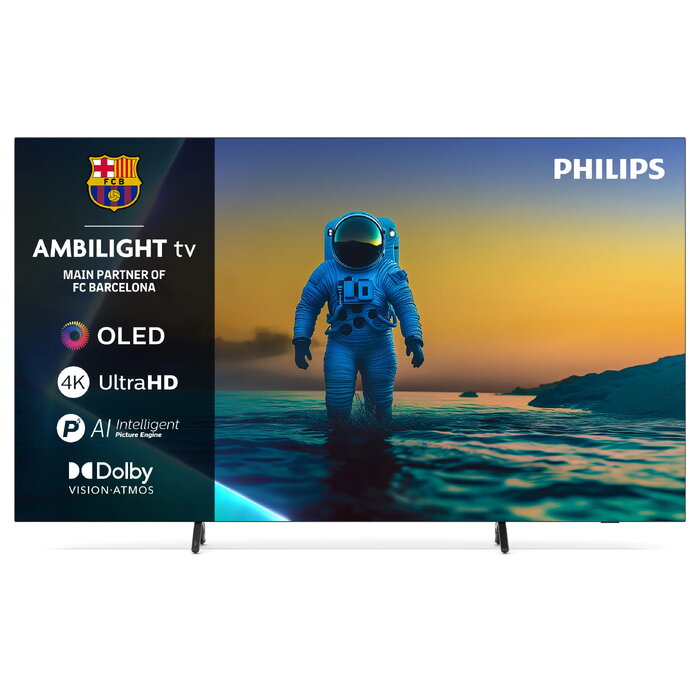
Description
Immerse yourself in what you love with Ambilight TV. This Ambilight TV features integrated LEDs on the back that react to on-screen content, creating a halo of coloured light that enhances perceived screen size and deepens immersion in sports, films, music and games. The bright OLED panel delivers lifelike images with deep blacks, wide viewing angles and automatic compensation for changes in ambient lighting. Built-in support for major HDR formats further improves contrast and colour fidelity.
Advantages
The combination of Bright OLED and the P5 processor with AI produces realistic detail, rich colour and smooth motion across all content. Ambilight extends the viewing experience beyond the screen while Dolby Vision, Dolby Atmos and DTS:X provide cinematic picture and immersive spatial sound. The IntelliSound engine uses AI to optimise audio for speech, music and movies, with manual presets and customisation available. Google TV centralises apps and subscriptions and offers personalised recommendations. Gaming features include HDMI 2.1, 120 Hz native refresh rate, ultra-low input lag, Game Bar 2.0 and 144 Hz VRR via HDMI for compatible PC setups. The TV also supports Matter for smart home integration, voice assistants including Google Assistant and Alexa, and Apple AirPlay.
Key specifications
- Display type: Bright OLED panel with wide viewing angles
- Processor: Philips P5 engine with AI image processing
- HDR: Supports all major HDR formats including Dolby Vision
- Audio: Dolby Atmos and DTS:X compatible; IntelliSound engine with AI optimisation
- Gaming: HDMI 2.1, 120 Hz native refresh rate, ultra-low input lag, Game Bar 2.0, 144 Hz VRR via HDMI
- Smart platform: Google TV with app aggregation and personalised suggestions
- Connectivity: Matter smart home compatibility, voice assistant support, Apple AirPlay, Bluetooth controller support
- Design and extras: Ambilight rear LEDs, bezel-free design, wireless-recharging remote with motion-activated backlight
- Packaging: FSC-certified recycled cardboard and recycled-paper inserts
How to use
Place the TV on a suitable stand or wall-mount it according to the manufacturer’s instructions, ensuring clearance for the rear Ambilight LEDs. Connect your sources via HDMI, enable Google TV during initial setup and sign in to your accounts to access apps and personalised recommendations. Use the remote to adjust picture and sound presets or allow the P5 and IntelliSound engines to optimise settings automatically. For gaming, connect a compatible console or PC via HDMI 2.1 and enable the desired refresh rate and VRR options in the TV menus. Integrate the TV into your smart home using Matter, and link preferred voice assistants or AirPlay devices for hands-free control and streaming.
Recommendations
For best results, place the TV where ambient light can be controlled to maximise OLED contrast and enable Ambilight for enhanced immersion. When gaming competitively, use wired controllers and check that HDMI cables support 48 Gbps bandwidth for full HDMI 2.1 features. Keep the remote charged and position smart-home devices for reliable Matter communication.
There are no reviews yet.