
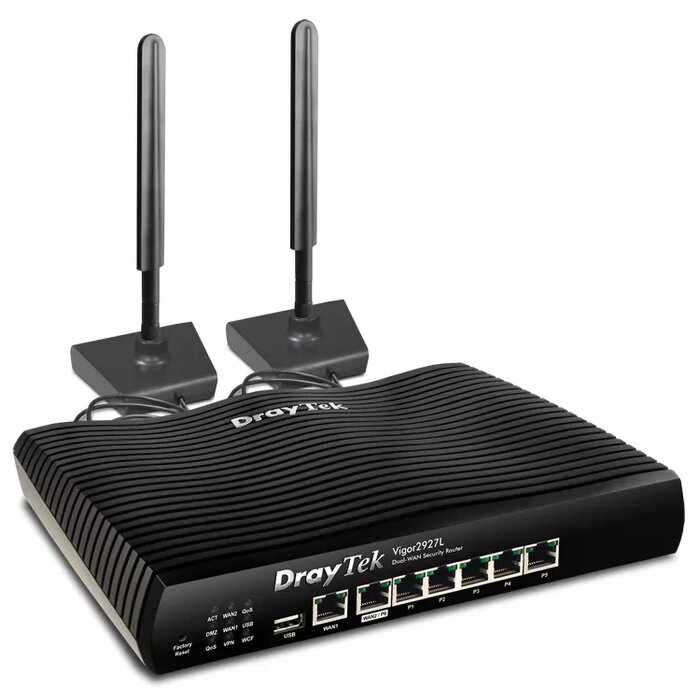
Description
The DrayTek Vigor2927L is a tabletop dual-WAN firewall router with embedded 4G/LTE and optional built-in 802.11ac Wave 2 Wi‑Fi. It supports LTE Cat 6 for mobile connectivity with theoretical speeds up to 300/50 Mbps (DL/UL) and provides Gigabit Ethernet for wired LAN. Designed for small and medium businesses, the Vigor2927L combines multiple WAN options, VPN support and advanced security features in a single compact unit.
Advantages
This router offers embedded 4G/LTE Cat 6 for failover or primary mobile WAN, load-balancing between WAN links, and high-speed Gigabit LAN ports. It includes comprehensive VPN support (IPsec, SSL, OpenVPN), firewall and content filtering, QoS and bandwidth management, captive portal for guest access, and dual external antennas for improved wireless reception. USB port support and multiple RJ-45 ports add flexibility for peripherals and wired networks.
Suitable for
- Small and medium business networks requiring reliable internet continuity
- Offices needing VPN access for remote workers and secure site-to-site connections
- Locations where 4G/LTE backup or primary WAN is needed
- Retail or hospitality environments that require captive portal guest access
Key specifications
- Model: DrayTek Vigor2927L (MPN: Vigor 2927L)
- Mobile standard: LTE Cat 6 (up to 300/50 Mbps DL/UL)
- Wired interfaces: Gigabit Ethernet LAN, 5 x RJ-45 ports
- Wi‑Fi: optional built-in 802.11ac Wave 2 (models with Wi‑Fi)
- VPN: IPsec, SSL, OpenVPN
- Security: firewall, content filtering, WEP/WPA/WPA2 support
- Ports and expansion: USB port available
- Antennas: 2 external antennas
- Color: Black
How to use
Install the Vigor2927L on a stable surface and connect the WAN and LAN cables to the appropriate RJ-45 ports. Insert a compatible SIM card for 4G/LTE connectivity if you plan to use mobile WAN or backup. Access the web-based management interface to configure WAN priorities, load-balancing, and failover settings. Enable and configure VPN profiles (IPsec, SSL, OpenVPN) and set firewall/content-filtering rules according to your network policy. Attach USB devices or enable Wi‑Fi if using a Wave 2 model.
Usage recommendations
For reliable performance, keep firmware up to date, place the router with clear access to antenna reception, and configure QoS to prioritise critical traffic such as VoIP or business applications. Use IPsec or SSL VPN profiles for secure remote access and enable firewall and content filtering to reduce exposure to external threats.
There are no reviews yet.