
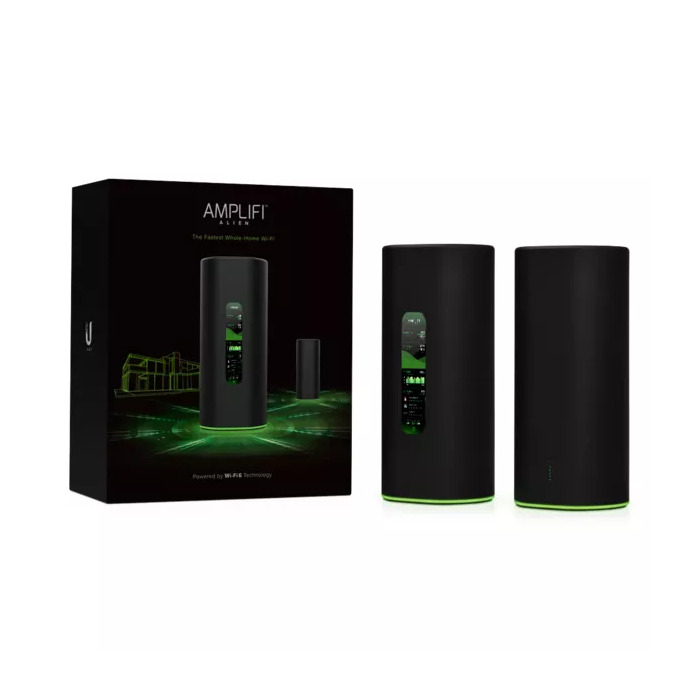
Description
The AmpliFi Alien WiFi Kit is a tabletop router kit that includes one AmpliFi Alien Router and one AmpliFi Alien MeshPoint. Based on Wi‑Fi 6 (802.11ax) technology, the system offers improved network capacity and coverage while supporting dual‑band operation on 2.4 GHz and 5 GHz. It delivers up to 4800 Mbit/s WLAN throughput, four Gigabit Ethernet ports for wired connections, and WPA2 security to help protect your local network. The device comes in a black and green finish suitable for home or small‑office setups.
Advantages
The kit provides higher overall network capacity and extended coverage compared with previous Wi‑Fi generations, enabling faster real‑world speeds and better performance for multiple devices. Dual‑band 2.4 GHz and 5 GHz radios are optimized for Wi‑Fi 6 while remaining backward compatible with older Wi‑Fi standards. The included MeshPoint expands wireless range and adds a Gigabit Ethernet port for additional wired connectivity.
Suitable for
- Homes and apartments that need whole‑home Wi‑Fi coverage
- Small offices requiring reliable wireless and wired connections
- Environments with many concurrent Wi‑Fi devices (streaming, gaming, smart home)
Key specifications
- Wi‑Fi bands: Dual‑band (2.4 GHz / 5 GHz)
- Top Wi‑Fi standard: Wi‑Fi 6 (802.11ax); backward compatible with 802.11ac/n/g/b/a
- Maximum WLAN data transfer rate: 4800 Mbit/s
- Ethernet LAN: Gigabit Ethernet, 4 x RJ‑45 ports
- Antennas: 2
- Security: WPA2
- Manufacturer: UBIQUITI, MPN: AFI‑ALN‑EU
How to use
Place the AmpliFi Alien Router in a central, elevated location and connect it to your modem using an Ethernet cable. Power on the router and the MeshPoint, then use the AmpliFi app or web interface to complete initial setup, configure SSIDs and WPA2 security, and apply firmware updates. Position the MeshPoint where signal strength drops to extend coverage and, if needed, connect wired devices to its Gigabit Ethernet port.
Usage recommendations
For best performance, keep the router away from large metal objects and other sources of interference, update firmware regularly, and place the MeshPoint midway between the router and the area with weak signal to balance coverage and speed.
There are no reviews yet.