
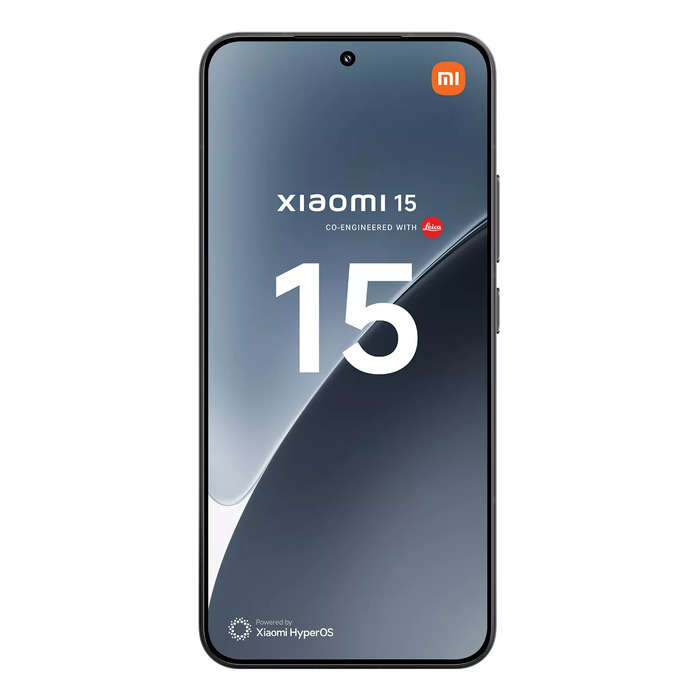
Description
The Xiaomi 15 6.36″ 12 GB 512 GB Black is a compact flagship smartphone combining a 6.36-inch display with a 2670 x 1200 resolution, a Qualcomm Snapdragon 8 Elite-family processor and 12 GB LPDDR5X memory. With 512 GB of internal storage, a 50 MP triple rear camera system and a 32 MP front camera, the device is designed for high-resolution photography and responsive multitasking. A 5240 mAh battery supports prolonged use and is rated for up to 1000 charge cycles. The phone features IP68 dust and water protection and an energy efficiency class A rating, all in a 191 g black finished chassis.
Advantages
The combination of Qualcomm Snapdragon processing power and 12 GB of LPDDR5X RAM provides smooth performance across apps and games while 512 GB of onboard storage allows extensive media, app and file retention without immediate need for cloud or external storage. The 50 MP triple rear camera delivers detailed imaging for everyday and low-light scenarios, while the 32 MP front camera supports high-resolution selfies and video calls. Long battery capacity (5240 mAh) and an endurance rating of 1000 cycles offer extended usable life. IP68 protection reduces risk from splashes and dust, and the 2670 x 1200 display resolution ensures sharp text and imagery on a compact 6.36″ panel.
Suitable for
- Users who need a high-performance daily smartphone for multitasking and gaming
- Photographers and content creators seeking a versatile triple-lens camera on a compact device
- Professionals requiring large local storage for apps, documents and media (512 GB)
- People who prefer durable, water- and dust-resistant devices with good battery life
Key specifications
- Display diagonal: 6.36″
- Display resolution: 2670 x 1200
- Processor family: Qualcomm Snapdragon (8 Elite series)
- RAM: 12 GB LPDDR5X
- Internal storage: 512 GB
- Rear camera: 50 MP (triple camera system)
- Front camera: 32 MP
- Battery capacity: 5240 mAh (up to 1000 cycles endurance)
- IP rating: IP68
- Energy efficiency class: A
- Weight: 0.191 kg
- Color: Black
How to use
Charge the device using the supplied charger or a compatible fast charger and complete the initial setup by following on-screen prompts for language, Wi‑Fi, and account sign-in. Install required apps from the official app store, configure camera settings for desired photo quality and enable power-saving modes or performance modes depending on usage needs. Use the system settings to manage storage, backups and privacy options; regular software updates should be applied when available to maintain security and performance. For water exposure, ensure all ports and covers are properly sealed and dry the device thoroughly after contact with liquids.
Usage recommendations
To maximize battery lifespan, enable adaptive charging if available, avoid extreme temperatures and follow a regular update schedule. Use the IP68 rating as protection against incidental water exposure but avoid prolonged submersion and saltwater contact. For camera reliability, keep lenses clean and store large media files on internal storage or backed up to secure cloud services when not needed on the device.

There are no reviews yet.