
Description
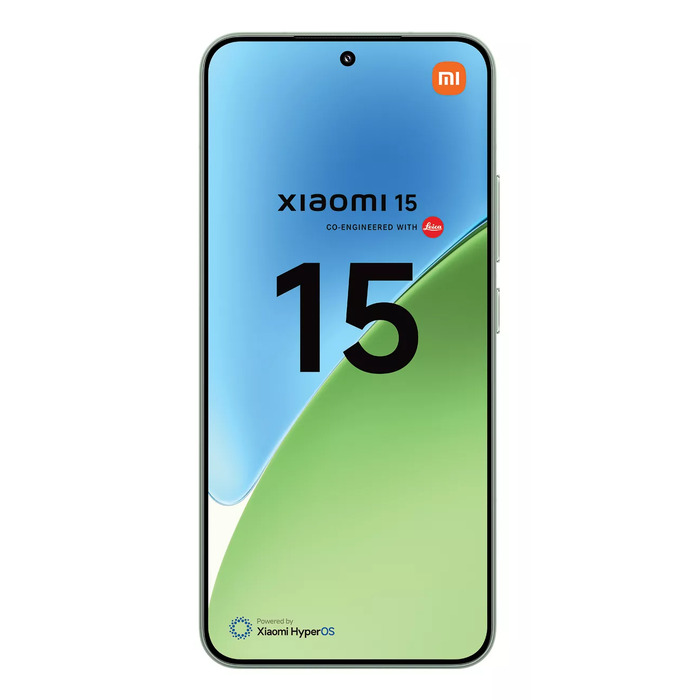
The Xiaomi 15 is a slim Android smartphone with a 6.36″ display and a resolution of 2670 x 1200 pixels. It runs on a Qualcomm Snapdragon 8 Elite family processor, paired with 12 GB LPDDR5X RAM and 256 GB internal storage. The device includes a triple rear camera system led by a 50 MP main sensor, a 32 MP front camera for selfies, and a 5240 mAh battery with rated endurance up to 1000 cycles. The device is finished in green, weighs 191 g and meets IP68 dust and water resistance.
Advantages
The combination of a high-resolution 6.36″ display and a powerful Snapdragon processor provides smooth performance for multitasking and multimedia. The 12 GB of RAM and 256 GB storage support large app libraries and local media without immediate expansion. A 50 MP main camera delivers high-detail shots while the 32 MP front camera is suited for clear video calls and selfies. Long-lasting battery capacity and a durable IP68 rating add practical resilience for everyday use.
Suitable for
- Daily multitasking and productivity apps
- Streaming video and mobile gaming at high settings
- Photography and social media content creation
- Extended use away from chargers (long battery life)
- Outdoor use where dust and water resistance is required
Key specifications
- Display: 6.36″ diagonal, 2670 x 1200 pixels
- Processor: Qualcomm Snapdragon 8 Elite family
- Memory: 12 GB LPDDR5X RAM
- Storage: 256 GB internal storage
- Rear cameras: triple setup with 50 MP main sensor
- Front camera: 32 MP
- Battery: 5240 mAh, rated endurance up to 1000 cycles
- Protection: IP68 dust and water resistance
- Weight: 191 g
- Colour: Green
- Repairability and reliability class: C
How to use
Power on the device using the side button and follow the on-screen setup wizard to connect to a Wi‑Fi network, sign in with a Google account, and configure security options such as fingerprint or face unlock. Install apps from the Google Play Store and organize home screens or widgets to suit your workflow. Use the camera app for photography; selecting autofocus and recommended exposure settings will help achieve sharp images. Charge the battery with the supplied or compatible fast charger and monitor battery health in settings to track cycle count and performance over time.
Usage recommendations
For best long-term performance, keep the system software up to date, avoid exposing the device to extreme temperatures, and use certified chargers. When using the camera outdoors, enable HDR or Night mode as appropriate to improve image dynamic range. If you use the phone frequently in wet or dusty conditions, ensure ports and covers are clean before charging.
There are no reviews yet.