
Description
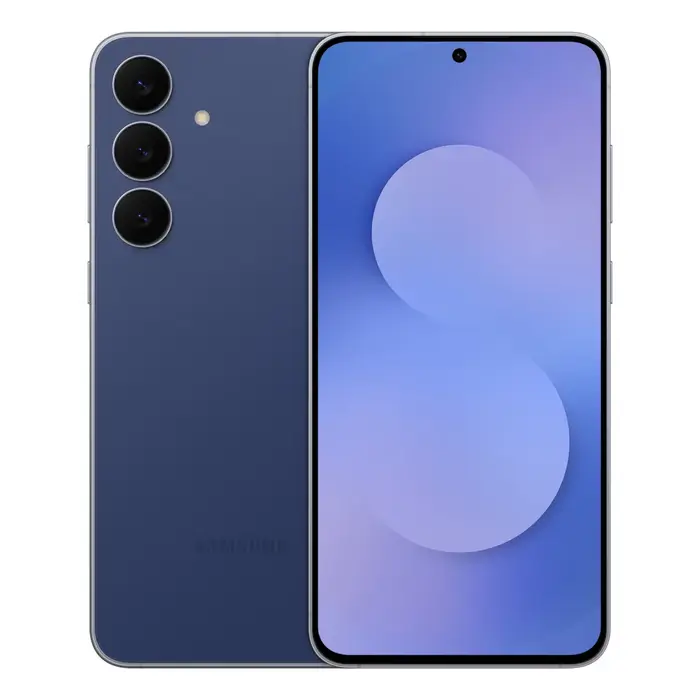
The Galaxy S25 FE is a slim, lightweight smartphone featuring a 6.7″ FHD+ display with minimized bezels and a floating camera design for a more immersive viewing experience. Built with Corning® Gorilla® Glass Victus®+ and an enhanced Armor Aluminum frame, the device offers IP68 dust and water resistance. It is powered by the Exynos 2400 processor, includes up to 8 GB RAM and 256 GB storage, and supports 5G Dual SIM (NanoSIM + eSIM). The phone integrates AI-driven camera and editing tools such as ProVisual Engine and Photo Assist to improve colour, detail and scene edits, and runs Android 16.0 with One UI 8.0.
Advantages
Galaxy S25 FE combines a thin 7.4 mm, 190 g build with robust materials and IP68 protection, delivering a balance of portability and durability. The Exynos 2400 and hardware features like a larger vapor chamber and ray tracing support deliver smoother performance and improved graphics for gaming and multitasking. Imaging capabilities include a triple rear camera system with AI enhancements for clearer low-light photos and videos, a 12 MP front camera with improved resolution, and tools for generative edits and personalised filters. Battery capacity of 4,900 mAh supports all-day use and fast wired charging to 65% in about 30 minutes.
Key specifications
- Display: 17 cm (6.7″) FHD+ (2340 x 1080), up to 120 Hz, Corning® Gorilla® Glass Victus®+
- Processor: Samsung Exynos 2400
- Memory & Storage: 8 GB RAM, 256 GB internal storage
- Network: 5G Dual SIM (NanoSIM + eSIM)
- Connectivity: Wi‑Fi (802.11a/b/g/n/ac/ax/6E), Bluetooth 5.4, NFC
- Cameras: Triple rear (50 MP + 12 MP + 8 MP), 12 MP front camera
- Battery: 4,900 mAh, fast wired charging (up to 65% in ~30 min)
- Operating System: Android 16.0 with One UI 8.0
- Durability: Corning® Gorilla® Glass Victus®+, Armor Aluminum frame, IP68
- Software & AI: ProVisual Engine, Photo Assist, Generative Edit, Auto Trim, My Filters, Browsing Assist, Writing Assist, Gemini Live, Circle to Search
- Updates: Up to 7 generations of OS upgrades and up to 7 years of security updates
How to use
Turn on the phone and follow the on-screen setup to sign in with your Samsung or Google account. Use Smart Switch to transfer contacts, photos, messages and apps from your previous device. Access camera features via the Camera app to use ProVisual Engine, Photo Assist and Generative Edit for enhanced photos and edits. Enable One UI 8.0 customisation to arrange wallpapers and widgets and use the Now Bar for quick access to important information. For fast sharing between nearby Samsung devices, use Quick Share; for web summaries and translations, enable Browsing Assist inside Samsung Internet. Charge the device with a compatible fast wired charger to reach about 65% in 30 minutes.
Recommendations
Use a protective case that supports the phone’s slim profile and Armor Aluminum frame for extra drop protection. Keep software up to date to receive the full 7 generations of OS upgrades and security patches. For best camera results in low light, enable ProVisual Engine and use multiframe modes; for quick transfers, use Smart Switch and Quick Share as appropriate.
There are no reviews yet.