
Description
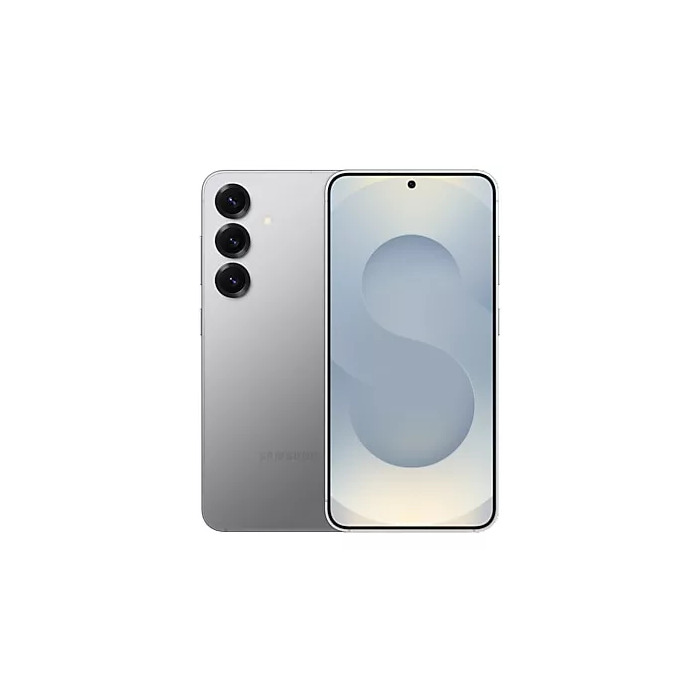
The Smartphone Samsung Galaxy S25 Enterprise Edition 6.2″ 12GB 128GB Silver combines a compact 6.2″ display with high-performance hardware suitable for professional use. The device features a 2340 x 1080 resolution screen, Qualcomm Snapdragon 8 Elite family processor, 12 GB of RAM and 128 GB internal storage. Photography is handled by a triple rear camera system with a 50 MP main sensor and a 12 MP front camera. Dual SIM support, 5G connectivity and Android 15 are included, while IP68 ingress protection and a 4000 mAh battery provide durability and all-day operation in a lightweight 162 g silver chassis.
Advantages
The Galaxy S25 Enterprise Edition offers a balance of processing power and memory for multitasking and business applications. Its 5G capability and Dual SIM functionality support fast mobile data and flexible carrier arrangements. The IP68 rating and solid drop reliability class contribute to device longevity in varied work environments. A 4000 mAh battery with a high cycle endurance helps maintain consistent performance over time. The combination of a high-resolution rear camera and a 12 MP front camera supports both documentation and video conferencing needs.
Suitable for
- Mobile professionals requiring secure and responsive performance
- Field work where IP68 protection and fall reliability are important
- Employees who use multiple carriers or business/personal lines via Dual SIM
- Teams needing reliable photo documentation and video calls
Key specifications
- Display diagonal: 6.2″ with 2340 x 1080 resolution
- Processor family: Qualcomm Snapdragon 8 Elite series
- Memory: 12 GB RAM
- Internal storage: 128 GB (no compatible memory card support)
- Rear camera: triple system with 50 MP main sensor
- Front camera: 12 MP
- Mobile network: 5G
- SIM capability: Dual SIM
- Operating system: Android 15
- Battery: 4000 mAh, rated for extended cycle endurance
- Ingress protection: IP68
- Repairability and reliability classes: Repairability C, Repeat free-fall reliability A
- Energy efficiency class: B
- Weight: 162 g
- Colour: Silver
How to use
Power on the phone using the side button and complete initial setup following on-screen prompts to configure Wi‑Fi, Google account and Android 15 settings. Insert one or two SIM cards in the designated tray to enable Dual SIM operation and configure preferred network settings under Connections. Use the camera app for still photography and video; adjust resolution and stabilization options in the app settings as needed. Monitor battery usage in the system settings and enable power-saving modes for extended runtime when required. Keep the device within manufacturer-recommended temperature ranges and use certified chargers to maintain battery health.
Usage recommendations
For reliable daily operation, keep the device firmware and security patches up to date, use a protective case where additional impact protection is needed, and perform regular backups of important business data to cloud or enterprise storage. Avoid exposing the device to liquids beyond the IP68 parameters and follow corporate IT policies for device management.
There are no reviews yet.