
Description
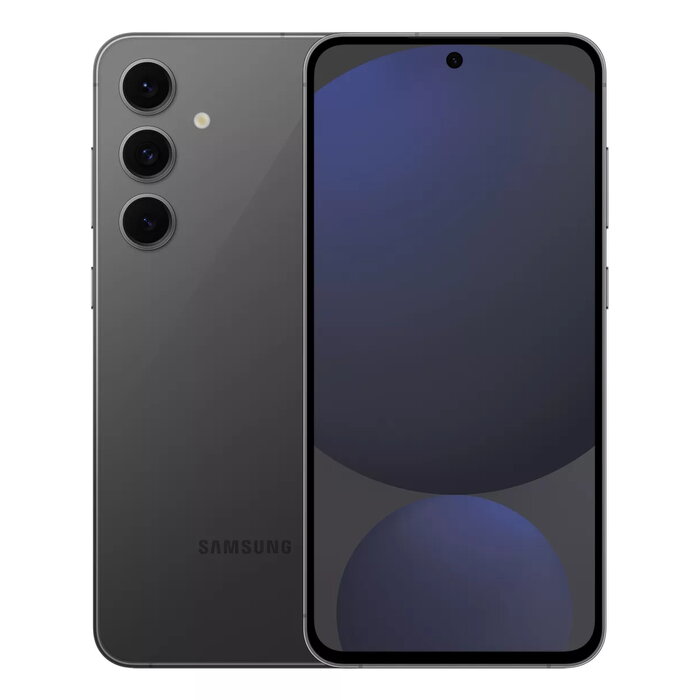
Choose your colour and make it yours. Discover the Galaxy S24 FE in multiple stylish colours, featuring a slimmer bezel display and a rounded form for a comfortable grip. The clean, flat design and enhanced Dynamic AMOLED 2X display deliver brighter, more colourful visuals with a larger screen and reduced bezels.
Advantages
The Galaxy S24 FE combines durable construction with advanced imaging and AI features. Corning® Gorilla® Glass Victus®+ protects both front and back, and the device has an IP68 rating for dust and water resistance. AI-powered tools such as Photo Assist, Sketch to Image and the ProVisual Engine enhance photo editing and capture, while features like Circle to Search, Live Translate and Interpreter improve everyday usability. Enhanced AP performance and the Samsung Exynos 2400e provide a hyper-realistic gaming experience, and a 4,700 mAh typical battery supports extended usage.
Key specifications
- Display: Dynamic AMOLED 2X, slimmer bezels
- Build: Corning® Gorilla® Glass Victus®+ (front and back), IP68
- Camera system: ProVisual Engine with AI enhancements, Super HDR, Optical Quality Zoom, Portrait Studio
- AI features: Photo Assist, Sketch to Image, Circle to Search, Live Translate, Interpreter, Browsing Assist
- Processor: Samsung Exynos 2400e with enhanced AP performance
- Battery: 4,700 mAh (typical)
- Connectivity and sharing: Smart Switch, Quick Share
- Privacy: Privacy and Security settings with Advanced Intelligence options
How to use
Pick a colour and set up the phone using Smart Switch to transfer data from your previous device. Use Photo Assist to resize, move or remove unwanted objects in photos, or open Sketch to Image to draw and generate images with AI. For improved photos in low light, rely on the ProVisual Engine and Super HDR; use Optical Quality Zoom for distant subjects and Portrait Studio for enhanced selfies. Access Circle to Search by drawing a circle gesture, and enable Live Translate or Interpreter during calls for real-time translation. Manage privacy and AI data processing in Privacy and Security settings.
Recommendations
For best results, keep the software updated to receive the latest AI feature improvements, use a protective case despite Gorilla Glass Victus+ for added shock protection, and enable cloud or device-based AI data processing according to your privacy preferences.
There are no reviews yet.