
Description
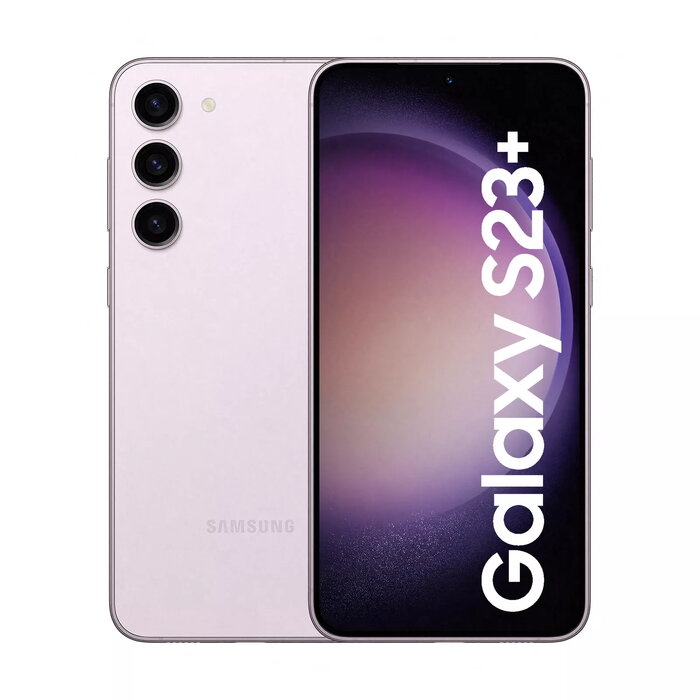
The Samsung Galaxy S23+ 6.6″ 512GB Lavender is a high-performance smartphone with a 6.6-inch 2340 x 1080 display, Qualcomm Snapdragon 8 Gen 2 processor, 8 GB of RAM and 512 GB of internal storage. The device runs Android 13, supports 5G mobile networks and Dual SIM functionality, and features a triple rear camera system with a 50 MP main sensor and a 12 MP front camera. With IP68 dust and water resistance and a 4700 mAh battery, the Galaxy S23+ combines a large screen and substantial battery capacity in a lightweight (195 g) metal and glass design finished in Lavender.
Advantages
The Galaxy S23+ offers a large, bright display with Full HD+ resolution suitable for media consumption and productivity. The Snapdragon 8 Gen 2 platform and 8 GB RAM provide smooth multitasking and responsive performance for apps and games. A 512 GB internal storage option delivers ample space for photos, videos and applications without requiring external memory. The camera system with a 50 MP main sensor captures detailed images in varied lighting conditions, while the IP68 rating ensures protection against dust and water. Fast connectivity options include 5G and Dual SIM support for flexible mobile use.
Suitable for
- Everyday multitasking and productivity on Android 13
- Photography and video capture using the 50 MP rear camera
- Streaming video and gaming on a 6.6″ Full HD+ display
- Frequent travellers or users needing two numbers via Dual SIM
- Users who need large onboard storage for media and apps
Key specifications
- Display: 6.6″ diagonal, 2340 x 1080 resolution
- Processor: Qualcomm Snapdragon 8 Gen 2
- Memory: 8 GB RAM
- Storage: 512 GB internal storage (non-expandable)
- Cameras: Triple rear system with 50 MP main sensor; 12 MP front camera
- Connectivity: 5G, Dual SIM support
- Operating system: Android 13
- Battery: 4700 mAh
- Ingress protection: IP68 dust and water resistance
- Weight: 195 g
- Colour: Lavender
How to use
Power on the device using the side key and follow the on-screen setup assistant to configure language, Wi‑Fi, and Google account details. Insert SIM cards into the Dual SIM tray if required. Use the Settings app to adjust display brightness, sound profiles and privacy settings. The camera app provides scene modes and manual adjustments; switch between lenses using the on-screen controls. Charge the battery with a compatible USB-C charger and monitor battery usage in Settings to optimize runtime.
Usage recommendations
To maintain performance, keep the operating system and apps updated and periodically review storage use to remove unneeded files. Use a protective case and certified screen protector to preserve the glass surfaces, and observe IP68 limits—avoid prolonged submersion beyond manufacturer guidance.
There are no reviews yet.