
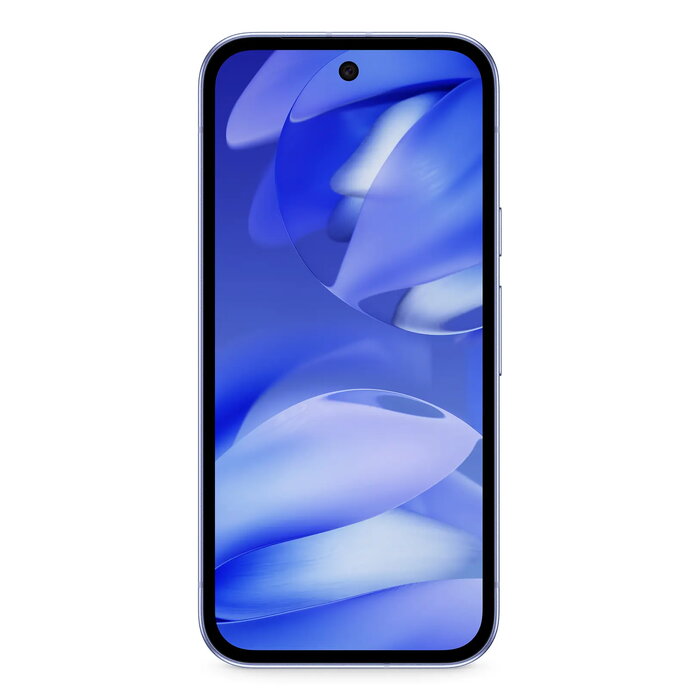
Description
The Google Pixel 9A 6.3″ 8GB 128GB Purple is a mid-to-high range smartphone combining a 6.3-inch 1080 x 2424 display, Google Tensor G4 processing, 8 GB of RAM and 128 GB of built-in storage. The device runs Android 15 and supports Dual SIM and 5G connectivity. A dual rear camera system with a 48 MP main sensor and a 13 MP front camera cover everyday photography needs, while a 5100 mAh battery and IP68 water and dust protection provide durable daily performance in a compact 185.9 g housing.
Advantages
The phone provides balanced performance for multitasking and media thanks to the Google Tensor G4 and 8 GB RAM, while 128 GB internal storage accommodates apps, photos and files without immediate need for expansion. The 48 MP dual rear camera captures detailed images and the 13 MP front camera is suited for video calls and selfies. Long battery life is supported by the 5100 mAh cell with a rated endurance of up to 1000 cycles, and IP68 rating delivers protection against dust and temporary immersion. The device ships with Android 15 for current OS features and security updates and supports 5G networks for faster data transfer.
Suitable for
- Everyday multitasking and productivity with multiple apps open
- High-quality mobile photography and video calls
- Streaming video and media consumption on a 6.3″ FHD+ display
- Frequent mobile use with long battery life and robust protection
- Users who need Dual SIM support for personal and work lines
Key specifications
- Display: 6.3″ diagonal, 1080 x 2424 resolution
- Processor: Google Tensor G4
- Memory: 8 GB RAM
- Storage: 128 GB internal
- Cameras: Dual rear camera with 48 MP main sensor; 13 MP front camera
- Connectivity: 5G, Dual SIM
- Operating system: Android 15
- Battery: 5100 mAh, designed for up to 1000 cycles
- Protection and durability: IP68 water and dust resistance; repeated free fall reliability class A; repairability class B
- Weight: 185.9 g
- Colour: Purple
- Energy efficiency class: B
How to use
Power on the device using the side button and follow the on-screen setup to sign in with a Google account and configure Dual SIM settings if required. Install or update apps from Google Play, adjust display and battery settings to match usage patterns, and enable 5G where available for fastest network speeds. Use the camera app for photo and video capture, selecting modes and resolutions as needed. Keep the device clean and dry; IP68 provides protection but avoid prolonged submersion beyond rated conditions.
Usage recommendations
For optimal battery longevity, avoid extreme temperatures, enable adaptive battery features in Android 15, and perform regular software updates. Use a protective case to maintain the device’s condition and consult authorized service options for repairs to preserve the repairability rating.
There are no reviews yet.