
Description
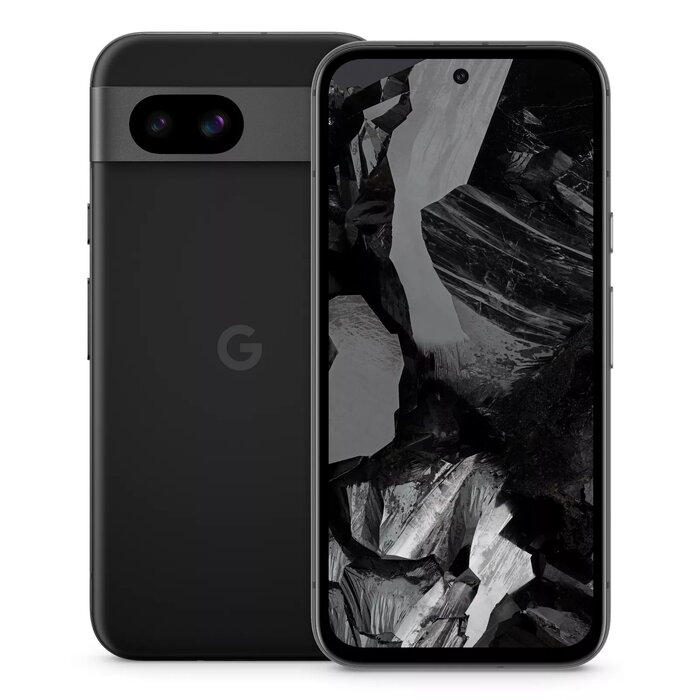
The Google Pixel 8a 6.1″ 256 GB Black is a compact smartphone powered by the Google Tensor G3 processor and running Android 14. It features a 6.1-inch 1080 x 2400 display, 8 GB of LPDDR5X RAM, and 256 GB internal storage. The device includes a 64 MP dual rear camera and a 13 MP front camera, dual SIM support, 5G connectivity, IP67 dust-and-water resistance, and a 4492 mAh battery in a 188 g black chassis.
Advantages
The Pixel 8a combines on-device Google AI features for photo and video editing, such as Best Take for combining group photos and Audio Magic Eraser to reduce distracting sounds in videos. Live Translate and Circle to Search enable fast on-the-spot translation and visual search. Additional AI features include voice-based text input and web-page reading through Gemini, and At a Glance provides timely information without unlocking the phone. The device offers a balance of performance, camera capability, and durability with IP67 protection.
Suitable for
- Everyday smartphone use with fast performance and long battery life
- Photography and social media content creation using AI-assisted camera tools
- Frequent travel or commuting with live translation and At a Glance notifications
- Users who need dual SIM and 5G connectivity
Key specifications
- Display: 6.1″ (1080 x 2400)
- Processor: Google Tensor G3
- RAM: 8 GB LPDDR5X
- Storage: 256 GB internal
- Rear camera: 64 MP dual
- Front camera: 13 MP
- Battery: 4492 mAh
- Operating system: Android 14
- Connectivity: 5G, Dual SIM
- Protection: IP67
- Weight: 188 g
- Color: Black
How to use
Power on the Pixel 8a and follow the on-screen setup to sign in with a Google account and configure Wi‑Fi, SIMs and preferences. Use the Camera app to take photos and videos; access Best Take in the photo gallery to merge similar group shots and Audio Magic Eraser in video editing to reduce unwanted sounds. Use Live Translate via the camera or keyboard to translate text and Circle to Search by drawing around visual elements. Enable voice input or Gemini features in the Assistant settings to dictate messages or have web pages read aloud.
Usage recommendations
Keep the device’s software up to date to receive the latest Google AI enhancements and security updates. For best battery life, use adaptive battery settings and avoid extreme temperatures. Use a compatible case and screen protector to maintain the IP67 protection during everyday use.
There are no reviews yet.