
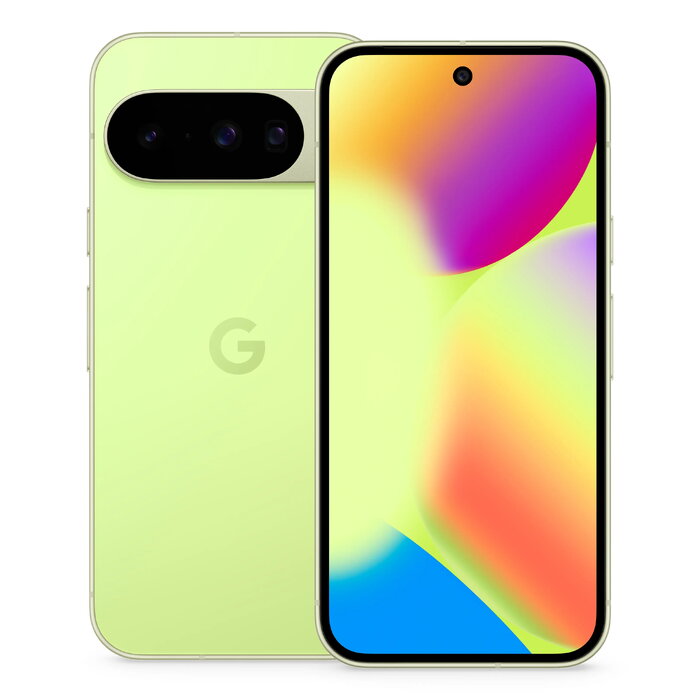
Description
The Google Pixel 10 6.3″ 12 GB Green is a mid-to-high range smartphone designed for everyday use and advanced mobile tasks. The device features a 6.3-inch display with 1080 x 2424 pixel resolution, a Google processor paired with 12 GB of RAM and 128 GB of internal storage, a triple rear camera system with a 48 MP main sensor, and a 10.5 MP front camera. It supports 5G networks and Dual SIM functionality, runs Android 16.0, and includes a 4970 mAh battery. With an IP68 rating for dust and water resistance and a repairability class B, the Pixel 10 balances durability and serviceability while weighing 204 g in a green finish.
Advantages
The Pixel 10 combines a high-resolution 6.3″ display and a powerful Google processor with 12 GB RAM to provide smooth multitasking and responsive app performance. The 48 MP triple rear camera enables detailed photos and flexible composition options. A large 4970 mAh battery and Android 16.0 contribute to reliable daily battery life and up-to-date software features. IP68 protection and a repeated free-fall reliability class A enhance durability for everyday handling. The device supports 5G connectivity and Dual SIM, allowing fast mobile internet and flexible carrier setups.
Suitable for
- Daily multitasking and productivity with multiple apps open
- Mobile photography and social media content creation
- Streaming video, gaming, and 5G browsing
- Travel and field use where dust and water resistance is needed
- Users who require Dual SIM support for work and personal numbers
Key specifications
- Display diagonal: 6.3″
- Display resolution: 1080 x 2424
- RAM: 12 GB
- Internal storage: 128 GB
- Processor family: Google
- Rear camera: Triple, 48 MP main sensor
- Front camera: 10.5 MP
- Battery capacity: 4970 mAh (rated for ~1000 cycles)
- Mobile network generation: 5G
- SIM capability: Dual SIM
- IP rating: IP68
- Energy efficiency class: B
- Weight: 0.204 kg
- Product colour: Green
- MPN: GA10215-GB, EAN: 0840353926929
How to use
Power on the Pixel 10 using the side button and follow the on-screen setup to sign in with a Google account, restore backups, and configure Dual SIM settings. Adjust display brightness and system preferences in Settings, and install apps from Google Play. Use the Camera app to select photo modes, switch between lenses, and capture images at the 48 MP setting when needed. Activate 5G in network settings where supported by your carrier. Charge the phone with a compatible USB-C charger and follow battery optimization settings to extend daily runtime.
Usage recommendations
To maintain device reliability and battery health, avoid exposure to extreme temperatures, use an approved USB-C charger, and keep the device’s software up to date. For optimal camera results, enable suggested camera modes and steady the device or use a tripod for low-light or high-resolution shots. IP68 provides protection against dust and temporary immersion in water, but avoid prolonged submersion and always ensure ports and covers are clean and intact.
There are no reviews yet.