
Description
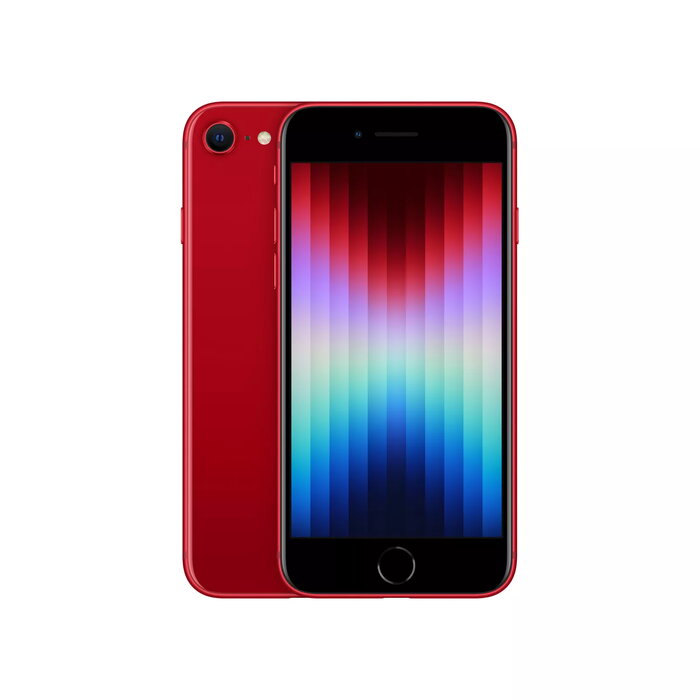
The Apple iPhone SE features a compact 4.7-inch Retina HD display with 1334 x 750 resolution and 326 ppi, powered by the A15 Bionic chip. This model includes 64 GB internal storage, Dual SIM support, 5G connectivity, IP67 dust and water resistance, and runs iOS 15. The phone has a 12 MP rear camera and a 7 MP front camera, and is available in red.
Advantages
The A15 Bionic chip delivers faster graphics and overall responsiveness compared with previous SE models, enabling apps to load quickly and run smoothly. Improved battery efficiency combined with iOS 15 provides longer video playback and everyday use between charges, while support for 20W fast charging and wireless charging adds convenience. 5G connectivity enables faster downloads, lower lag in multiplayer gaming and higher-quality streaming. The device is built with durable glass on the front and back and offers IP67-rated protection against dust and water.
Suitable for
- Everyday smartphone use with compact form factor
- Users who need reliable performance for apps and games
- Mobile streaming, video calls and social media with 5G
- Photography with a single-lens rear camera and front-facing camera
- People who prefer a phone with IP67 water and dust resistance
Key specifications
- Display: 4.7-inch Retina HD, 1334 x 750 pixels, 326 ppi
- Processor: A15 Bionic
- Storage: 64 GB internal
- Network: 5G and LTE
- Wireless: Wi‑Fi 6 (802.11ax), Bluetooth 5.0, NFC
- Cameras: 12 MP rear, 7 MP front
- Operating system: iOS 15
- Ingress protection: IP67
- Weight: 0.144 kg
- Color: Red
How to use
Switch on the iPhone SE and follow the iOS setup assistant to sign in with your Apple ID or create a new one, insert your SIM cards for Dual SIM operation if required, and configure Wi‑Fi and 5G network settings. Use the Home button or gestures (depending on iOS settings) to navigate apps, enable Wi‑Fi or cellular data for online tasks, and open the Camera app for photos and video. To charge, place the device on a compatible wireless charger or connect a 20W or higher USB‑C power adapter to fast charge the battery.
Usage recommendations
For best battery life, enable Smart Data mode to let the phone switch between 5G and LTE when high speed is not required, reduce screen brightness as needed, and keep iOS and apps updated. Use a protective case and screen protector to preserve the glass surfaces and maintain water resistance by ensuring ports and seals are clean and intact.
There are no reviews yet.