
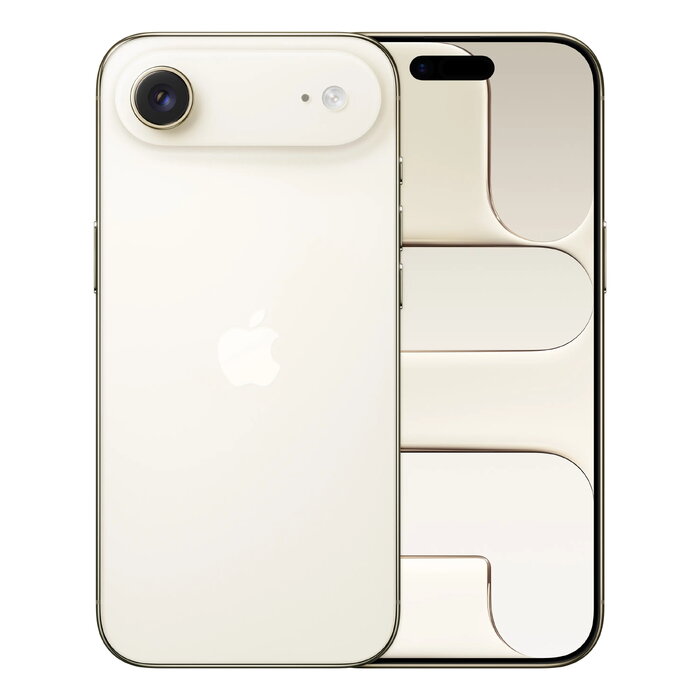
Description
The Apple iPhone Air is an ultra-thin 6.5″ smartphone with a 2736 x 1260 Ceramic Shield 2 display, A19 Pro chip and 1 TB of internal storage. It offers a 48 MP main camera, a refined front camera with Center Stage for improved framing, Dual SIM (eSIM support), 5G connectivity and iOS 26. The device weighs 165 g and is available in a gold finish, combining a lightweight body with flagship performance.
Advantages
The iPhone Air pairs a minimal, lightweight design with high-end performance thanks to the A19 Pro chip and large 1 TB storage. Photography is enhanced by a 48 MP Fusion main camera that delivers high-resolution images by default and a smarter front camera with Center Stage for better group shots. Connectivity options include 5G, Wi‑Fi 7 and Bluetooth 6.0, while IP68 protection and wireless charging support add practical convenience.
Suitable for
- Users who want a lightweight, premium-looking smartphone with large storage
- Mobile photographers and content creators seeking high-resolution photos
- Professionals needing fast performance and long battery life for daily tasks
- People who use multiple numbers or travel frequently and need Dual SIM (eSIM)
Key specifications
- Display: 16.5 cm (6.5″) 2736 x 1260 Ceramic Shield 2
- Processor: Apple A19 Pro
- Storage: 1 TB internal
- Cameras: Rear 48 MP single main camera; front camera with Center Stage (approx. 18 MP)
- Connectivity: 5G, Dual SIM (eSIM), Wi‑Fi 7 (802.11be), Bluetooth 6.0, NFC
- Battery & charging: Li‑Ion battery, wireless charging supported
- OS: iOS 26
- Protection & durability: IP68; repairability class C; repeated free-fall reliability class B
- Weight: 165 g
- Colour: Gold
How to use
Switch on the iPhone Air by pressing the side button and follow the on-screen setup assistant to restore data or set up as new. Insert a physical SIM if required and configure eSIM from carrier settings for Dual SIM operation. Use the Camera app to access the 48 MP Fusion main camera and the front camera with Center Stage; choose resolution and shooting modes within the app. Connect to Wi‑Fi or mobile data for iCloud, app updates and Apple services. Charge with a compatible wireless charger or Lightning/USB‑C cable as provided by the accessory bundle.
Usage recommendations
For best photo quality, enable the highest resolution settings in Camera and keep iOS updated to benefit from Apple Intelligence image enhancements. Use a protective case to maintain the device’s thin profile while improving drop protection; follow official Apple guidance for water exposure and charging practices to preserve battery health.
There are no reviews yet.