
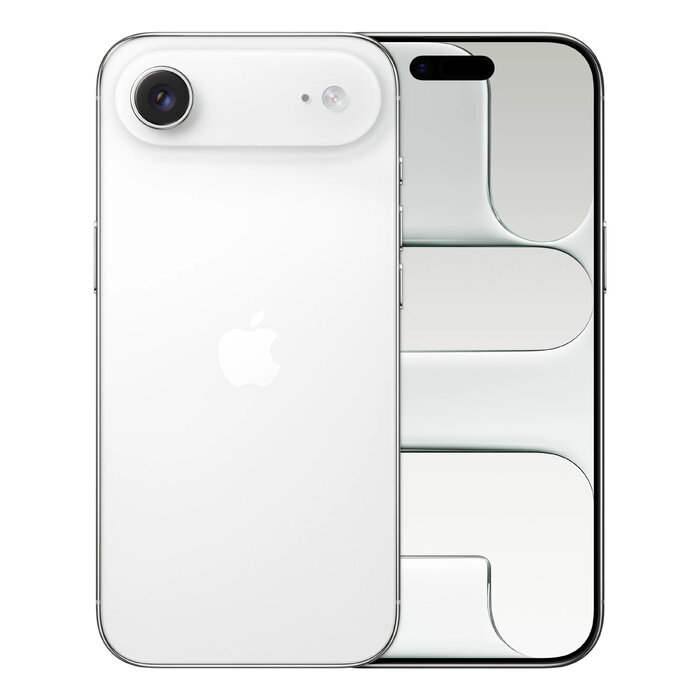
Description
Apple iPhone Air is the thinnest iPhone, combining a 16.5 cm (6.5″) 2736×1260 Ceramic Shield 2 display with the A19 Pro chip and up to 1 TB internal storage. The device runs iOS 26, supports 5G Dual SIM (eSIM compatible), Wi‑Fi 7 and USB‑C, and features a 48 MP single rear camera and an 18 MP front camera with Center Stage. With IP68 protection and a lightweight 165 g body, it is designed for everyday use, media consumption and high-capacity storage.
Advantages
The iPhone Air offers a very slim and light design without compromising performance thanks to the A19 Pro chip and an all‑day battery. The 48 MP Fusion main camera delivers high-resolution photos by default while Center Stage improves front-camera framing for group selfies. Fast connectivity options include 5G, Wi‑Fi 7 and Bluetooth 6.0, and the phone comes with up to 1 TB of internal storage for large media libraries. iOS 26 and Apple Intelligence add visual and generative features that simplify everyday tasks.
Suitable for
- Users who need large local storage for photos, video and apps
- Mobile multimedia and streaming
- Everyday communication with fast 5G connectivity and Dual SIM support
- Photography enthusiasts who want high-resolution main camera output
- Users seeking a lightweight, pocketable iPhone with IP68 protection
Key specifications
- Display: 16.5 cm (6.5″) 2736 x 1260, Ceramic Shield 2
- Processor: Apple A19 Pro
- Internal storage: 1 TB
- Rear camera: Single 48 MP (Fusion main camera)
- Front camera: 18 MP with Center Stage
- Operating system: iOS 26
- Connectivity: 5G, Dual SIM (eSIM), USB‑C, Wi‑Fi 7 (802.11be), Bluetooth 6.0, NFC
- Battery: Lithium‑Ion, wireless charging supported
- Protection and durability: IP68; weight 165 g
How to use
Switch on the device with the side button, follow the iOS 26 setup assistant to sign in with your Apple ID and configure Dual SIM and eSIM if required. Use the Camera app to switch between photographic modes; the 48 MP Fusion main camera records high-resolution images by default while the front camera uses Center Stage for automatic subject framing. Connect to mobile data or Wi‑Fi through Settings, and transfer files or charge using the USB‑C port or wireless charger.
Usage recommendations
For best photo results, keep the lens clean and use standard photo mode for full 48 MP detail; enable Apple Intelligence features in Settings to access visual and generative tools. Use official Apple chargers and compatible USB‑C cables for reliable charging and data transfer.
There are no reviews yet.