
Description
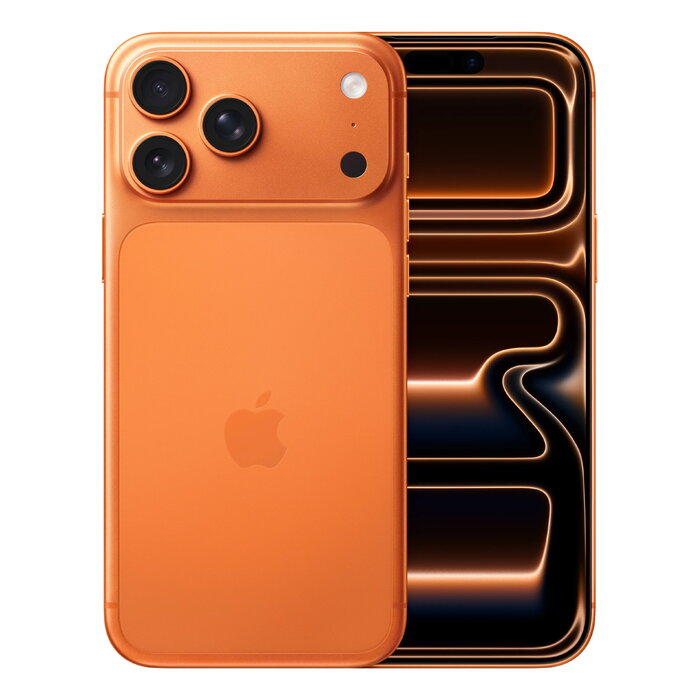
The Apple iPhone 17 Pro Max features a heat-forged aluminum unibody and a large 17.5 cm (6.9″) Ceramic Shield 2 display with 2868 × 1320 pixels. It is powered by the Apple A19 Pro chip, runs iOS 26 and offers 512 GB of internal storage, 5G Dual SIM (NanoSIM + eSIM), Wi‑Fi 7, Bluetooth 6.0, NFC and wireless charging. The device includes a triple 48 MP rear camera system with extended optical zoom and a Center Stage front camera for improved group framing.
Advantages
The iPhone 17 Pro Max combines a durable heat-forged aluminum unibody with enhanced thermal management to support sustained pro-level performance and improved battery endurance. Its triple 48 MP rear cameras provide high-resolution photos and the longest optical zoom introduced on an iPhone to date, while the Center Stage front camera helps keep subjects framed in group selfies and video calls. iOS 26 brings Apple Intelligence features such as Live Translation and on-device image creation tools.
Suitable for
- Mobile photography and video with high-resolution rear cameras
- Multimedia consumption on a large 6.9″ display
- Power users who need ample 512 GB storage and fast performance
- Frequent video calls and group selfies using Center Stage
- High-speed connectivity via 5G and Wi‑Fi 7
Key specifications
- Design: Heat-forged aluminum unibody
- Display: 17.5 cm (6.9″), 2868 × 1320 pixels, Ceramic Shield 2
- Processor: Apple A19 Pro
- Storage: 512 GB internal
- Connectivity: 5G Dual SIM (NanoSIM + eSIM), Wi‑Fi 7 (802.11be), Bluetooth 6.0, NFC
- Cameras: Triple rear cameras 48 MP + 48 MP + 48 MP; Center Stage front camera (18 MP)
- Battery & charging: Lithium‑Ion (Li‑Ion), wireless charging
- Operating system: iOS 26
- Other: IP68 protection, weight 233 g, product colour Cosmic Orange
How to use
Press the side button to power on the iPhone and complete the on-screen setup to activate iOS 26, sign in with your Apple ID and restore or configure data. Insert a NanoSIM and set up an eSIM through your carrier to enable Dual SIM; configure network preferences in Settings to select 5G and Wi‑Fi 7 connections. Open the Camera app to switch between the triple rear lenses and use the Center Stage front camera for group selfies and video calls. Place the device on a compatible wireless charger to enable wireless charging and manage battery settings in Settings to optimise performance.
Usage recommendations
Keep iOS 26 updated for best performance, use a compatible MagSafe or Qi wireless charger for safe wireless charging, and protect the aluminum unibody and Ceramic Shield 2 display with a case designed for this model.
There are no reviews yet.