
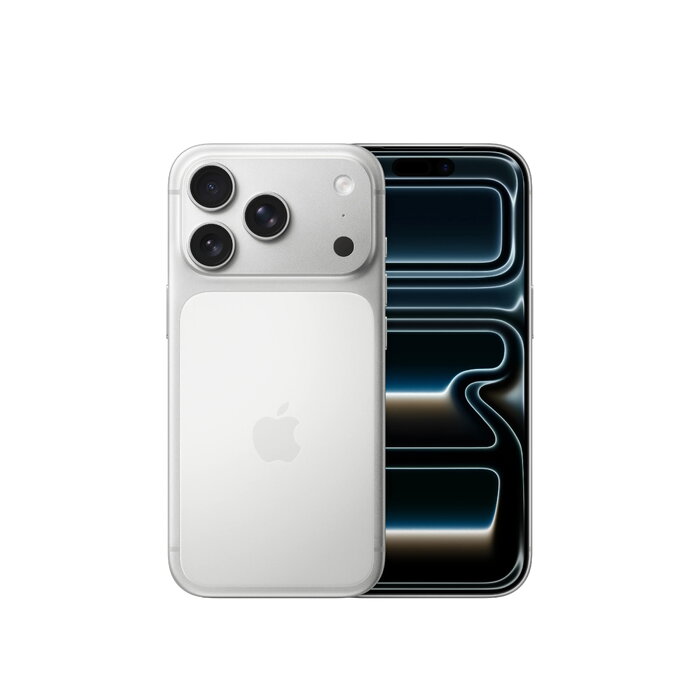
Description
Apple iPhone 17 Pro 1TB in Silver is a flagship smartphone with a 6.3″ (16 cm) 2622 × 1206 Ceramic Shield 2 display, Apple A19 Pro processor and 1 TB of internal storage. The device features a triple 48 MP rear camera system, an 18 MP front camera with new Center Stage functionality, 5G Dual SIM support (NanoSIM + eSIM), Wi‑Fi 7 and Bluetooth 6.0, and runs iOS 26. With an IP68 rating and a lightweight 206 g chassis, it is designed for photography, multitasking and media consumption while offering long battery endurance.
Advantages
The unibody heat‑forged aluminium construction provides professional‑level build quality and durability. Vapor cooling combined with the A19 Pro chip delivers fast, sustained performance and improved battery life. The camera system offers all 48 MP Fusion rear sensors and the longest optical zoom yet available on an iPhone, while the Center Stage front camera provides intelligent framing for individual and group shots. iOS 26 and integrated Apple Intelligence add on‑device features such as image creation and Live Translation.
Suitable for
- Mobile photography and video creation
- Power users and multitasking (processor-intensive apps)
- Media consumption and gaming on a high‑resolution display
- Users needing large local storage (1 TB)
- Frequent travellers requiring Dual SIM and 5G connectivity
Key specifications
- Display: 16 cm (6.3″) Ceramic Shield 2, 2622 × 1206 pixels
- Processor: Apple A19 Pro
- Storage: 1 TB internal
- Cameras: Triple rear 48 MP + 48 MP + 48 MP; Front camera 18 MP with Center Stage
- Connectivity: 5G, Dual SIM (NanoSIM + eSIM), Wi‑Fi 7 (802.11be), Bluetooth 6.0, NFC
- Battery: Li‑Ion, wireless charging supported
- Operating system: iOS 26
- Protection: IP68
- Weight: 206 g
- Colour: Silver
How to use
Switch on the iPhone and follow the on‑screen setup assistant to sign in with your Apple ID, restore data if needed, and configure Face ID and privacy settings. Insert a NanoSIM if you use a physical SIM and activate eSIM through your carrier or the iOS settings for Dual SIM. Use the Camera app to select lenses, enable Center Stage for video calls or group selfies, and choose ProRAW/ProRes modes where required. Connect to Wi‑Fi 7 networks and 5G for fastest data, and enable wireless charging on a compatible charger.
Usage recommendations
For best performance, keep iOS 26 updated, avoid running intensive background tasks continuously to reduce thermal stress, and use certified chargers for wireless or wired charging. Enable automatic backups to iCloud to protect large local storage content.
There are no reviews yet.