
Description
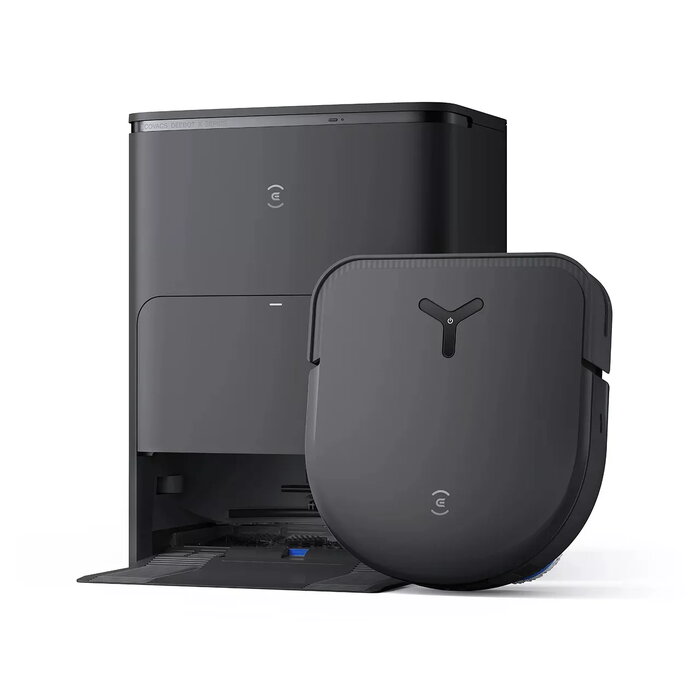
The Ecovacs DEEBOT X5 OMNI is a bagless robot vacuum cleaner with a D-shape design engineered for combined dry vacuuming and wet mopping. It houses a 0.25 L dust container, operates on a 6400 mAh Lithium‑Ion battery and delivers up to 217 minutes of runtime. With compact dimensions (346 mm height, 313 mm width, 95 mm depth) and built‑in automatic base station return, the unit is designed for routine floor cleaning in a range of home environments while maintaining a relatively low noise profile of 67.9 dB.
Advantages
The DEEBOT X5 OMNI integrates vacuuming and wet mopping functions in a single D‑shaped chassis that improves edge cleaning. Its bagless dust container simplifies maintenance without the need for disposable bags, while the long‑lasting Lithium‑Ion battery enables extended cleaning cycles. Automatic base station return reduces user intervention for charging and storage. The compact footprint and moderate noise level make the device suitable for apartments and multi‑room homes.
Suitable for
- Daily vacuuming of hard floors and low‑pile carpets
- Regular wet mopping of sealed floor surfaces
- Homes where space for charging and storage is limited
- Users looking for quiet, long‑runtime cleaning cycles
Key specifications
- D‑shape design for improved edge and corner access
- Dust container: bagless, 0.25 L capacity
- Wet mopping function included
- Automatic base station return for charging and storage
- Runtime up to 217 minutes on a full charge
- Battery type: Lithium‑Ion, 6400 mAh
- Noise level approximately 67.9 dB
- Product colour: black
- Compact dimensions: height 346 mm, width 313 mm, depth 95 mm
How to use
Place the Ecovacs DEEBOT X5 OMNI on a flat surface and position the base station against a wall with sufficient clearance. Charge the robot fully before first use. Use the companion app or onboard controls to start, schedule, or customize cleaning maps and modes. For wet mopping, fill the designated water reservoir according to the manufacturer’s marking and attach the mop accessory as instructed. After a cleaning cycle, allow the unit to return to its base station for charging and empty or clean the dust container and mop pads as needed.
Usage recommendations
To maintain optimal performance, empty the dust container after heavy cleaning sessions, clean brushes and sensors regularly, and use the recommended cleaning solution or water for mopping. Keep floor cables and small objects clear from the cleaning area and periodically check the battery and base station contacts for dust build‑up.

There are no reviews yet.