
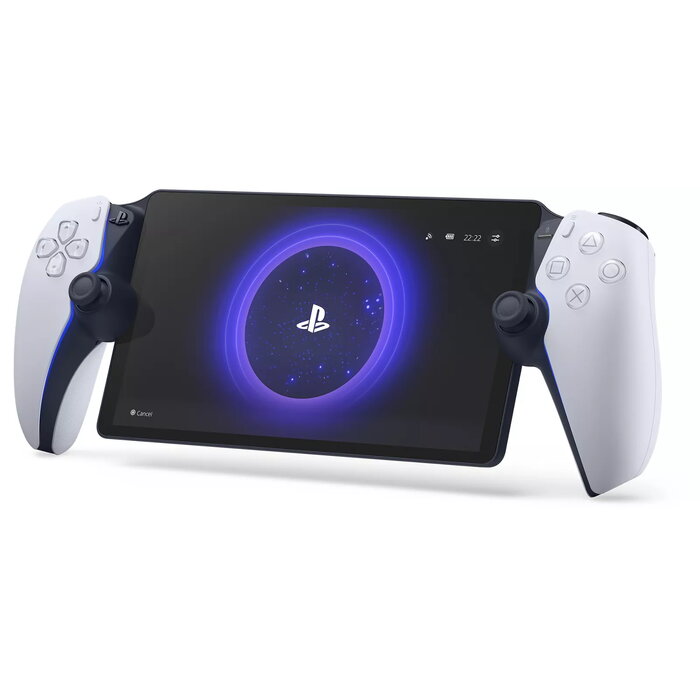
Description
The Sony PlayStation Portal Remote Player (CFI-Y1016) is a dedicated handheld device for streaming compatible PS5 games over your home Wi‑Fi. It provides a portable way to access games installed on your PS5, with an 8″ Full HD LCD screen, DualSense wireless controller features, and direct wireless audio support for PULSE Explore earbuds. The unit is lightweight and designed for quick connection to your console so you can play without using a TV.
Advantages
The PlayStation Portal offers console-quality controls and DualSense haptic feedback and adaptive trigger support in compatible PS5 titles, a bright 8″ 1080p display capable of up to 60 fps, and a purpose-built interface that enables fast connection to your PS5 over home Wi‑Fi. It supports ultra-low latency wireless audio via PlayStation Link when used with PULSE Explore earbuds and allows gaming in any room without occupying the TV.
Suitable for
- Playing PS5 and compatible PS4 games remotely over home Wi‑Fi
- Users who need a portable screen and controller for home streaming
- Households where the main TV may be in use but gaming access is required
Key specifications
- Model: PlayStation Portal Remote Player (CFI‑Y1016)
- Platform: PlayStation 5 remote play
- Display: 8″ Full HD (1080p) LCD
- Frame rate: Up to 60 fps streaming (dependent on network and PS5)
- Connectivity: Home Wi‑Fi required for Remote Play
- Controller features: DualSense haptic feedback and adaptive triggers supported (in compatible games)
- Audio: PlayStation Link wireless for PULSE Explore earbuds (ultra-low latency)
- Weight: 0.54 kg
- Colours: Black, White
How to use
Turn on the PlayStation Portal and connect it to the same home Wi‑Fi network as your PS5 console. Sign in to your PlayStation Account, pair the device with your PS5, and select Remote Play to access games installed on the console. Use the built‑in controls to play like a DualSense controller; supported games will enable haptic feedback and adaptive trigger functionality. For low‑latency audio, pair PULSE Explore wireless earbuds via PlayStation Link if available.
Usage recommendations
For best performance, use a stable high‑speed Wi‑Fi connection and keep your PS5 connected to the same network (preferably via wired Ethernet). Streaming quality and frame rate depend on network bandwidth and PS5 settings. Ensure compatible games are installed on the PS5 and update system software on both devices for optimal compatibility.
There are no reviews yet.