
Description
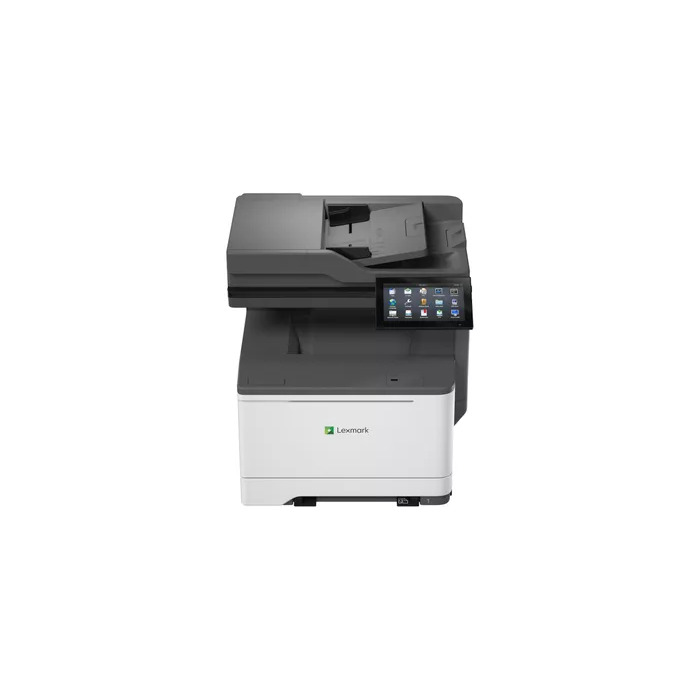
The Lexmark CX635adwe Laser Colour multifunction printer delivers colour printing, copying and scanning with laser quality and business-class features. It prints up to 40 pages per minute at a maximum resolution of 1200 x 1200 DPI, supports duplex print/copy/scan, and connects via Wi‑Fi or Ethernet. Designed for high monthly duty cycles, the device includes long-life components, steel-frame construction and accessible design to support consistent office performance.
Advantages
Ongoing professional product support includes easy installation, on-device and online instructional videos, colour-coded maintenance guidance and predictive analytics for managed fleets. Security is built in with Lexmark’s ecosystem and a Trusted Platform Module (TPM) that provides on-board authentication, system integrity checks and cryptographic capabilities meeting Common Criteria and FIPS standards. Proprietary hardware and firmware integration reduces potential security gaps. The device offers optimised productivity with print speeds up to 40 ppm and scan speeds up to 49 images per minute one-sided (98 ipm two-sided). Remote manageability, wireless access and remote firmware updates simplify configuration, consumables management and diagnostics. Sustainability certifications (Energy Star, Blue Angel, RoHS, EPEAT Silver) and use of at least 35% PCR recycled content contribute to reduced waste and long product life.
Suitable for
- Small and medium office environments requiring colour printing, copying and scanning
- Workgroups needing duplex and networked multifunction capabilities
- Locations that require secure printing and centralized device management
- Offices prioritizing energy-efficient and long-life equipment
Key specifications
- Print technology: Laser
- Printing: Colour; Print speed (A4): 40 ppm
- Maximum resolution: 1200 x 1200 DPI
- Scanning: Colour; Optical resolution: 600 x 600
- Duplex: Copy, Print, Scan
- Connectivity: Wi‑Fi, Ethernet LAN
- Maximum duty cycle: 125,000 pages per month
- Weight: 27.05 kg
- Product colour: Grey, White
How to use
Unpack and position the printer on a stable surface, connect to power and the network using Wi‑Fi or Ethernet, and follow the on-screen or online installation instructions. Load A4 paper into the tray, install the toner cartridges and complete any guided calibrations. Use the touch panel or Lexmark mobile app to send print jobs, start scans or make copies. For duplex jobs, select two-sided printing or scanning in the device settings or application print dialog.
Usage recommendations
For reliable operation, schedule regular maintenance using Lexmark’s colour-coded guidance, keep firmware up to date via remote updates, and use certified consumables. For managed fleets, enable predictive analytics to detect potential issues early and consider positioning the device in a ventilated, accessible area to support long-life components and servicing.
There are no reviews yet.