
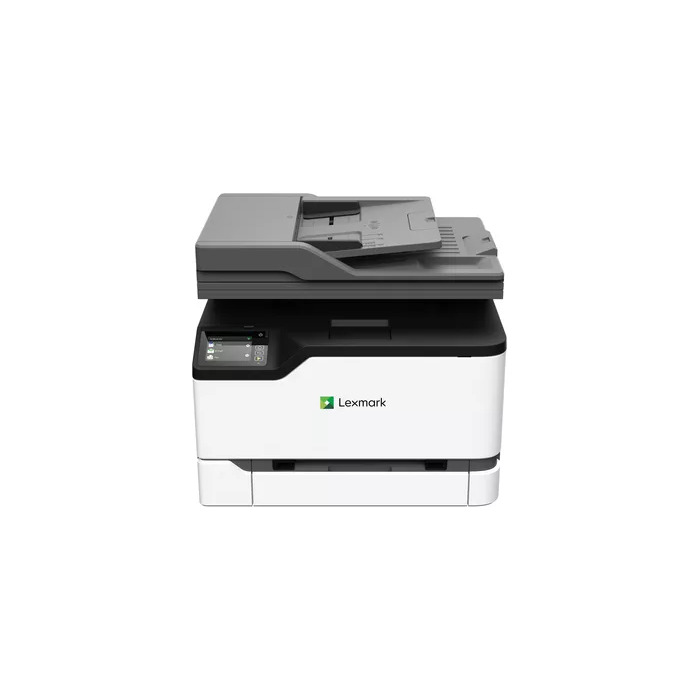
Description
The Lexmark CX331adwe is a compact multifunction laser printer offering colour printing, copying, scanning and faxing with a 7.2 cm touch screen. It delivers up to 24 pages per minute in colour at a maximum resolution of 600 x 600 dpi, supports A4 paper, and includes Ethernet, USB and built-in Wi‑Fi for mobile and network printing. Designed with a steel frame and long‑life imaging components, it combines durability with a small footprint (344.4 mm H × 411.2 mm W × 394.1 mm D) and weighs approximately 19.4 kg.
Advantages
The device provides fast colour output and multifunction capability—print, scan, copy and fax—in one space‑saving unit. Durable construction and long‑life imaging parts reduce downtime and maintenance. Built‑in Wi‑Fi, Ethernet and mobile printing support (Lexmark Mobile Print, Mopria®, AirPrint) simplify connectivity for office and mobile users. Unison™ toner supplies vibrant colour with high‑yield cartridge options (up to 4500 pages) and allows black printing if a colour toner runs out. Automatic duplex printing and energy‑saving modes, plus EPEAT Silver and ENERGY STAR certification, help reduce paper and energy use.
Suitable for
- Small offices and home offices requiring colour printing and multifunction features
- Workgroups needing a compact, durable device with network and wireless connectivity
- Users who require occasional faxing alongside scanning and copying
Key specifications
- Print technology: Laser
- Print speed (colour/black): up to 24 ppm (A4, normal)
- Maximum resolution: 600 x 600 dpi
- Scanning: colour, optical resolution 600 x 600 dpi
- Maximum paper size: A4
- Connectivity: Wi‑Fi, Ethernet LAN, USB
- Control panel: 7.2 cm e‑Task touch screen
- Weight: 19.4 kg; dimensions: 344.4 × 411.2 × 394.1 mm (H×W×D)
- Maximum monthly duty cycle: up to 50,000 pages
- Product colours: Black, White
How to use
Place the printer on a stable surface and connect it to power. Use the built‑in Wi‑Fi setup wizard or connect via Ethernet/USB to add the device to your network. Load A4 paper into the input tray according to the guides. Use the 7.2 cm e‑Task touch screen to select print, copy, scan or fax functions and adjust settings such as duplex printing and quality. For mobile printing, install Lexmark Mobile Print or use Mopria®/AirPrint from compatible devices. Replace toner cartridges with the specified Unison™ supplies when prompted.
Usage recommendations
For reliable daily operation, place the printer in a well‑ventilated area, keep firmware up to date, and use genuine Lexmark Unison™ toner cartridges. Enable automatic duplex to reduce paper consumption and configure energy‑saving modes to minimise power use during idle periods.
There are no reviews yet.