
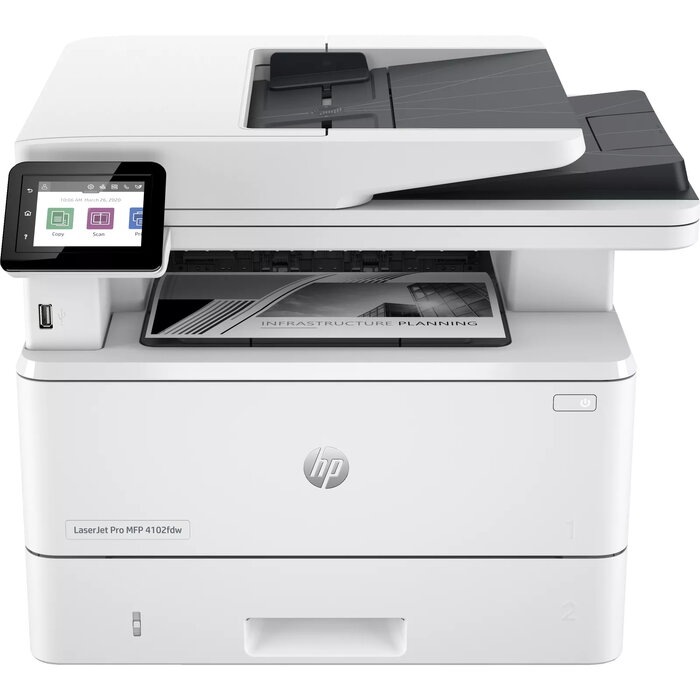
Description
The HP LaserJet Pro MFP 4102dw is a monochrome multifunction laser printer designed for small offices and workgroups that need fast printing, reliable copying and color scanning in a compact white housing. It delivers up to 40 ppm black printing at a maximum resolution of 1200 x 1200 dpi, supports duplex print and copy for A4 paper, and offers connectivity via Wi‑Fi and Ethernet for direct and networked workflows.
Advantages
The device provides high productivity with 40 ppm black output and a monthly duty cycle rated up to 80,000 pages. Duplex printing and copying reduce paper handling for two‑sided documents, while 1200 x 1200 dpi print resolution and 1200 x 1200 optical scanning resolution ensure clear text and detailed scans. Built‑in Wi‑Fi and Ethernet make integration into office networks straightforward. The printer uses Laser print technology and supports reused HP chips in cartridges where applicable.
Suitable for
- Small to medium offices requiring high‑volume monochrome printing
- Workgroups needing duplex print and copy capabilities
- Users who scan documents in color and require 1200 x 1200 optical resolution
- Environments needing wired or wireless network printing
Key specifications
- Print technology: Laser
- Printing: Mono printing, up to 40 ppm (A4)
- Maximum print resolution: 1200 x 1200 dpi
- Copying: Mono copying, max 600 x 600 dpi
- Scanning: Colour scanning, optical resolution 1200 x 1200 dpi
- Duplex functions: Print and Copy
- Maximum paper size: A4
- Connectivity: Wi‑Fi, Ethernet LAN
- Maximum duty cycle: 80,000 pages/month
- Weight: 12.6 kg
- Product colour: White
- Manufacturer part number (MPN): 2Z622F#B19
- EAN: 195161936128
How to use
Unpack the HP LaserJet Pro MFP 4102dw and follow the quick‑start guide to install toner and load A4 paper into the tray. Connect the printer to a network using Wi‑Fi or Ethernet, install HP drivers on client computers if required, and configure duplex settings in the printer driver to enable two‑sided printing and copying. Use the scanner glass or automatic feeder for color scans at the device front, and access network scanning or direct printing via supported mobile and desktop apps.
Usage recommendations
For consistent output and to maintain device security features, use cartridges with new or reused HP chips or electronic circuitry as specified by HP. Note that the printer’s dynamic security features may block non‑HP chips; periodic firmware updates can affect cartridge compatibility.
There are no reviews yet.