
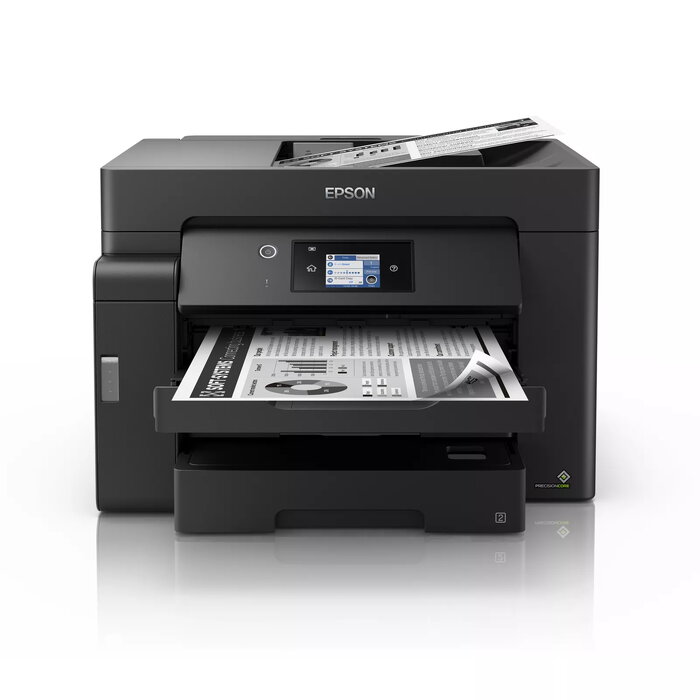
Description
The Epson EcoTank M15140 is a multifunction A3+ monochrome printer designed for small offices and businesses that need fast, cost-efficient black-and-white printing, scanning and copying. It supports A3+ media, offers a 6.8 cm LCD touchscreen for control, multiple front and rear paper feeds and an automatic document feeder to handle larger jobs and varied paper sources.
Advantages
The EcoTank M15140 delivers fast output with a short first-page time and high page-per-minute performance, while large refillable ink tanks keep running costs low compared with cartridge systems. Pigment-based black ink gives smudge- and highlighter-resistant prints with clear text, and Heat-Free PrecisionCore technology reduces warm-up time and power consumption. Multiple connectivity options including Wi‑Fi, Wi‑Fi Direct and Ethernet plus mobile printing support add convenience for office workflows.
Suitable for
- Small office and business environments requiring A3+ mono printing
- High-volume black-and-white document production with low cost per page
- Workflows needing scanning and copying of A3 documents
- Users who need mobile, networked and direct printing options
Key specifications
- Print technology: Laser (monochrome)
- Maximum print resolution: 4800 x 1200 dpi
- Print speed (black, normal quality, A4/US Letter): up to 32 ppm
- Optical scanning resolution: 1200 x 2400 dpi
- Maximum supported paper size: A3+
- Paper handling: Two 250-sheet A3 front trays, 50-sheet A3 rear feed, 50-sheet A3 ADF
- Display: 6.8 cm LCD touchscreen
- Connectivity: Wi‑Fi, Wi‑Fi Direct, Ethernet LAN
- Weight: 20.2 kg
- Colour: Black
How to use
Install the printer according to the Quick Start guide, connect it to your network via Ethernet or Wi‑Fi, or enable Wi‑Fi Direct for direct mobile printing. Fill the large ink tanks using the resealable, drip-free ink bottles supplied, then configure print settings from the 6.8 cm touchscreen or via the Epson iPrint app and drivers on your computer or mobile device. Load A3 or A3+ media into the appropriate front tray, use the rear feed for specialty media, and place multi-page originals into the ADF for scanning or copying.
Usage recommendations
For consistent, long-term reliability and the lowest running costs, use genuine Epson replacement ink bottles and follow scheduled maintenance tasks in the user manual. For best print quality on important documents, select appropriate paper types and allow pigment ink to dry before stacking or highlighting.
There are no reviews yet.