
Description
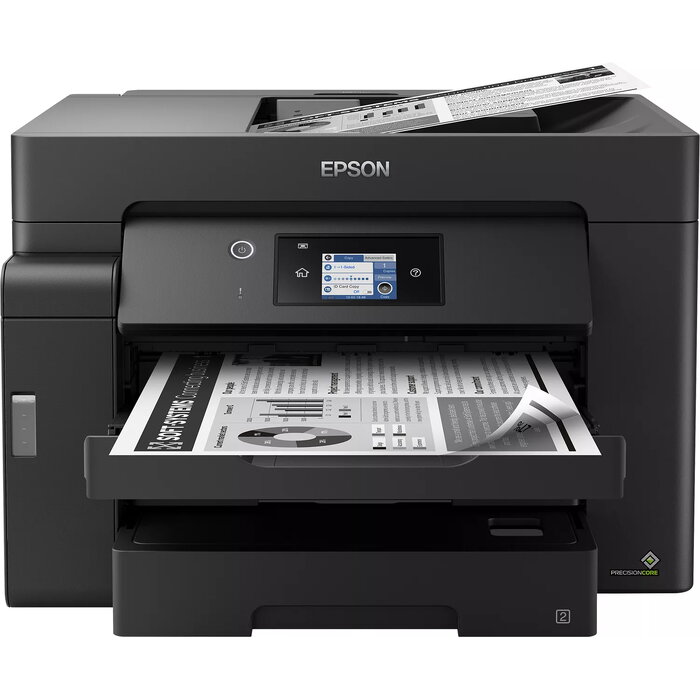
The Epson EcoTank ET-M16600 is a monochrome A3+ printer designed for high-volume office work. It combines fast print and scan speeds with multiple paper feeds: two 250-sheet front trays, a 50-sheet rear feed and a 50-sheet A3 automatic document feeder. A 6.8 cm LCD touchscreen, Ethernet and mobile printing options (Wi-Fi, Wi-Fi Direct and Epson iPrint) provide flexible connectivity and straightforward control.
Advantages
This EcoTank model offers a low cost per page through large refillable ink tanks and affordable ink bottles. It delivers quick first-page output (around 5.5 seconds) and supports fast duplex printing and a high-speed ADF to accelerate routine tasks. The printer uses pigment-based EcoTank 113 ink for smudge-free, highlighter-resistant black prints and can produce up to 7,500 pages from one set of replacement ink. Heat-Free PrecisionCore technology reduces warm-up time, lowers power use and improves reliability.
Key specifications
- Model: Epson EcoTank ET-M16600
- Printing technology: Monochrome inkjet (pigment ink)
- Maximum paper size: A3+
- Paper handling: Two 250-sheet front trays, 50-sheet rear feed, 50-sheet A3 ADF
- Display: 6.8 cm LCD touchscreen
- Connectivity: Wi-Fi, Wi-Fi Direct, Ethernet, mobile printing via Epson iPrint
- First page out time: Approximately 5.5 seconds
- Replacement ink yield: Up to 7,500 pages (black) per set
- Technology: Heat-Free PrecisionCore
How to use
Set up the printer on a stable surface and connect it to your network via Ethernet or Wi-Fi. Fill the large ink tanks with the supplied resealable, drip-free ink bottles following the user guide. Use the 6.8 cm touchscreen to access menus and select print, scan or copy functions. Load originals into the A3 ADF for multi-page scanning or copying, and choose paper trays according to paper size. For mobile printing, install the Epson iPrint app on your device and connect via Wi-Fi or Wi-Fi Direct.
Recommendations
For best results in busy workgroups, use genuine Epson EcoTank 113 pigment ink and keep paper trays loaded to reduce interruptions. Regularly check for firmware updates and perform routine maintenance as described in the manual to ensure consistent print quality and reliability.
There are no reviews yet.