
Description
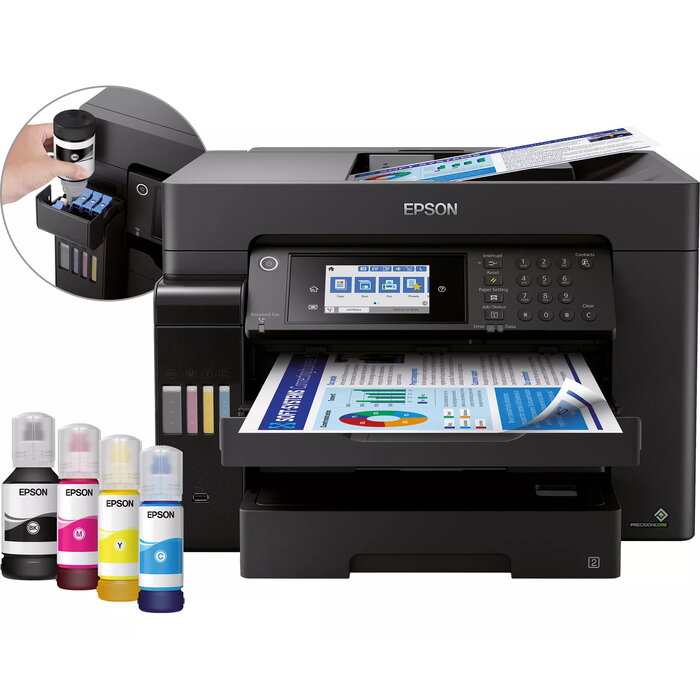
The Epson EcoTank ET-16650 is a multifunction inkjet printer designed for A3+ print, scan, copy and fax tasks. It combines high-resolution output (up to 4800 x 1200 dpi) with fast print speeds (up to 32 ppm) and large-capacity refillable ink tanks to reduce running costs. The device includes two 250-sheet front trays, a 50-sheet rear feed, a total 550-sheet tray capacity, a 50-sheet A3 automatic document feeder (ADF), Ethernet, Wi‑Fi and a 10.9 cm LCD touchscreen with hard keys for straightforward operation.
Advantages
The ET-16650 offers low cost per page through refillable EcoTank ink reservoirs and supports high-volume printing with minimal interruptions thanks to large ink tanks and a 550-sheet paper capacity. Fast first-page-out time (around 5.5 seconds), duplex printing and a high-speed ADF increase productivity for A3 workflows. Network and mobile printing options (Wi‑Fi, Wi‑Fi Direct, Ethernet and Epson iPrint) make it simple to print from computers, tablets and smartphones. The PrecisionCore printhead provides reliable, high-quality output and long-term durability.
Suitable for
- Small and medium offices producing A3/A3+ documents and posters
- Design studios and print-for-pay environments requiring colour A3 output
- Teams needing high-volume, low-cost daily printing and scanning
- Workplaces that require networked and mobile printing capabilities
Key specifications
- Model: Epson EcoTank ET-16650 (MPN C11CH71401)
- Print technology: Inkjet (PrecisionCore)
- Functions: Print, scan, copy, fax
- Maximum paper size: A3+ (A3 supported)
- Print speed (black, A4): Up to 32 ppm
- Maximum resolution: 4800 x 1200 dpi
- Optical scan resolution: 1200 x 2400 dpi
- Paper capacity: 550 sheets total (two 250-sheet front trays + 50-sheet rear feed)
- ADF capacity: 50-sheet A3 ADF
- Connectivity: Wi‑Fi, Wi‑Fi Direct, Ethernet LAN
- Display: 10.9 cm LCD touchscreen with hard keys
- Weight: 21 kg
- Colour: Black
How to use
Install the printer following the supplied setup guide and connect it to your network via Wi‑Fi, Wi‑Fi Direct or Ethernet. Fill the front-facing EcoTank reservoirs with the compatible ink bottles using the resealable, drip-free bottles; ensure caps are closed after filling. Load paper into the appropriate front tray or the rear feed for specialty media, and place multi-page originals into the 50-sheet A3 ADF for scanning or copying. Use the 10.9 cm LCD touchscreen and hard keys to select functions and adjust settings, or print from mobile devices with the Epson iPrint app.
Usage recommendations
For consistent print quality and long-term reliability, use genuine Epson EcoTank inks, keep the printer powered on periodically to maintain the PrecisionCore printhead, and store spare ink bottles upright in a cool, dry place. For high-volume A3 jobs, use the front trays for standard stock and the rear feed or ADF for heavier or longer media to avoid jams.
There are no reviews yet.