
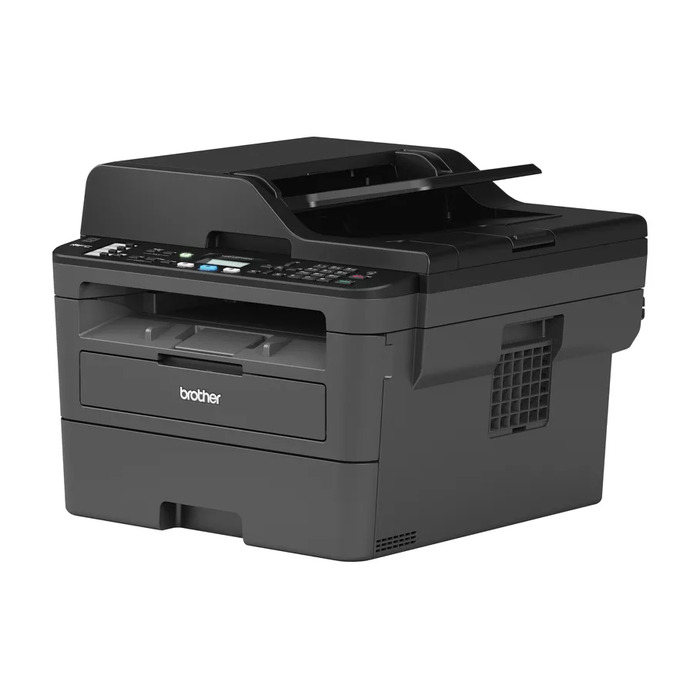
Description
Brother MFC-L2710DW is a compact monochrome multifunction laser printer combining printing, scanning, copying and faxing in a single device. With a maximum print resolution of 1200 x 1200 dpi and a rated print speed of 30 ppm, it is designed for home offices and small workplaces that need reliable black‑and‑white output and network connectivity including Wi‑Fi and Ethernet.
Advantages
The printer delivers sharp monochrome prints at up to 30 pages per minute and supports automatic duplex printing to save paper. It offers 600 x 600 dpi scanning and copying, wired and wireless network interfaces (Ethernet, Wi‑Fi, USB 2.0) and a compact footprint with a weight of about 11.8 kg, making it suitable where space is limited.
Suitable for
- Home office printing and document workflows
- Small business or workgroup monochrome printing
- Scanning and copying occasional colour documents
Key specifications
- Print technology: Laser (mono)
- Print speed: 30 ppm (A4, black)
- Maximum print resolution: 1200 x 1200 dpi
- Copying: Mono, max copy resolution 600 x 600 dpi
- Scanning: Colour, optical resolution 600 x 600 dpi
- Duplex: Automatic duplex printing
- Interfaces: Wi‑Fi, Ethernet LAN, USB 2.0
- Maximum monthly duty cycle: 15,000 pages
- Weight: 11.8 kg
- Colour: Black / Grey
How to use
Connect the MFC-L2710DW to your network via Wi‑Fi or Ethernet, or attach it directly over USB. Install the Brother drivers on your computer or mobile device, then load A4 paper into the tray. Use the control panel to select print, copy, scan or fax functions, and choose duplex printing in the driver or on the device when two‑sided output is required.
Usage recommendations
For best results, use compatible Brother toner cartridges, keep paper specifications within the recommended A4 range, and perform periodic maintenance such as cleaning the scanner glass and checking paper feed rollers. Ensure firmware and drivers are kept up to date for network stability and security.
There are no reviews yet.