
Description
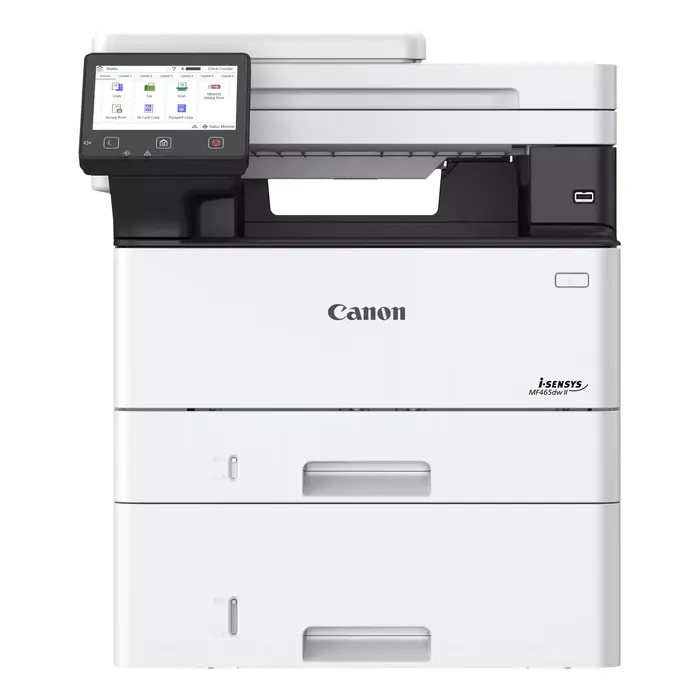
The Canon i-SENSYS MF465dw II is a compact black and white laser multifunction device for high-productivity offices. It provides mono printing at up to 40 ppm, colour scanning with up to 600 x 600 dpi optical resolution, mono copying and faxing, duplex for print/scan/copy/fax, wired and wireless connectivity including Wi‑Fi and Ethernet, and a responsive 5-inch touchscreen. The device is designed for secure, reliable daily operation with a 1200 x 1200 dpi print resolution and a 1000 MB internal memory supported by a 1.2 GHz processor.
Advantages
The MF465dw II delivers fast duplex printing and high-speed scanning (up to 100 ipm) to accelerate document workflows while maintaining business-grade black and white print quality at 1200 x 1200 dpi. Built-in security features such as Security Navigator, password strengthening, SMB 3.1.1, WPA3, OAuth 2.0 and SIEM support help protect sensitive data. Easy setup and management are supported by Master setup, QR-code links to online guidance, and a consistent 5-inch interface that simplifies operation across device fleets. The unit also includes fax capability for secure transmission of sensitive documents and supports direct printing standards like Apple AirPrint and Mopria.
Suitable for
- Busy office environments requiring high-volume black & white printing and duplex workflows
- Departments that need fast, reliable scanning for document digitisation and archiving (PDF/A support)
- Workgroups that require secure data handling and centralised device management
- Small-to-medium businesses needing wired and wireless connectivity and mobile printing
Key specifications
- Print technology: Laser; Printing: Mono
- Print speed (A4, black): up to 40 ppm
- Maximum print resolution: 1200 x 1200 dpi
- Scanning: Colour scanning; Optical scanning resolution: 600 x 600 dpi; up to 100 ipm scanning speed
- Copying: Mono copying; Maximum copy resolution: 600 x 600 dpi
- Faxing: Mono faxing; Duplex functions: Copy, Fax, Print, Scan
- Connectivity: Wi‑Fi, Ethernet LAN, USB; Mobile: Apple AirPrint, Canon PRINT Business, Mopria
- Internal memory: 1000 MB; Processor: 1200 MHz
- Maximum duty cycle: 80,000 pages/month; Weight: 16.3 kg
- Product colours: Black, White
How to use
Place the Canon i-SENSYS MF465dw II on a stable surface with access to power and network. Follow the Master setup to automatically download and install required drivers and software, then connect via Wi‑Fi or Ethernet. Use the 5-inch touchscreen to select print, copy, scan or fax functions; set duplex options when required. For scanning, choose PDF/A if you need long-term archiving. Use supported mobile printing protocols for direct printing from smartphones and tablets.
Usage recommendations
For consistent results, use A4 paper suitable for laser printers and regular maintenance cartridges as specified by Canon. Enable security features such as Security Navigator and network encryption (WPA3) to protect sensitive documents and consider scheduled firmware updates and periodic backups of device settings when used in a fleet.
There are no reviews yet.