
Description
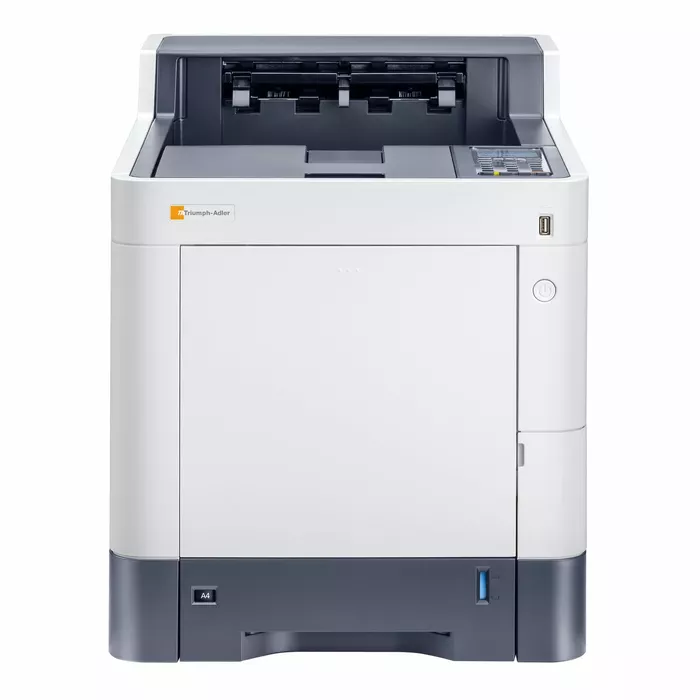
The Triumph-Adler P-C3562DN is a multifunction color laser device designed for office environments that require printing, scanning, copying and faxing in a single unit. It delivers up to 36 pages per minute at a print resolution of 1200 x 1200 dpi and supports multiple media sizes, providing reliable performance for small and medium-sized businesses.
Advantages
The P-C3562DN offers high-speed color laser printing with professional 1200 x 1200 dpi resolution and integrated multifunction capabilities. It includes a user-friendly control panel, a compact footprint to save office space and support for a range of media sizes. Built for continuous use, the device is suitable for busy work environments and provides consistent output quality.
Suitable for
- Office document workflows in small and medium-sized businesses
- Departments requiring color reports and marketing materials
- Workgroups needing combined printing, scanning, copying and faxing
Key specifications
- Print technology: Color Laser
- Print speed: Up to 36 pages per minute
- Print resolution: 1200 x 1200 dpi
- Monthly duty cycle: Up to 75,000 pages
- Media sizes supported: A4, A5, B5, Letter, Legal
- Connectivity: USB, Ethernet, Wi-Fi
- Dimensions: 420 x 420 x 450 mm
- Weight: 25 kg
How to use
Connect the Triumph-Adler P-C3562DN to your network using Ethernet or Wi‑Fi and install the drivers from the Triumph-Adler website on your computer. Select the printer from your device’s print menu to start printing. For scanning or copying, place documents on the flatbed or in the automatic document feeder (ADF) and choose the required function on the control panel. Follow on-screen prompts on the device to adjust settings and complete tasks.
Usage recommendations
For best results, use high-quality paper and genuine Triumph-Adler toner cartridges, perform regular maintenance as described in the user manual, and keep firmware up to date. Place the device in a well-ventilated area to avoid overheating during heavy use.

There are no reviews yet.