
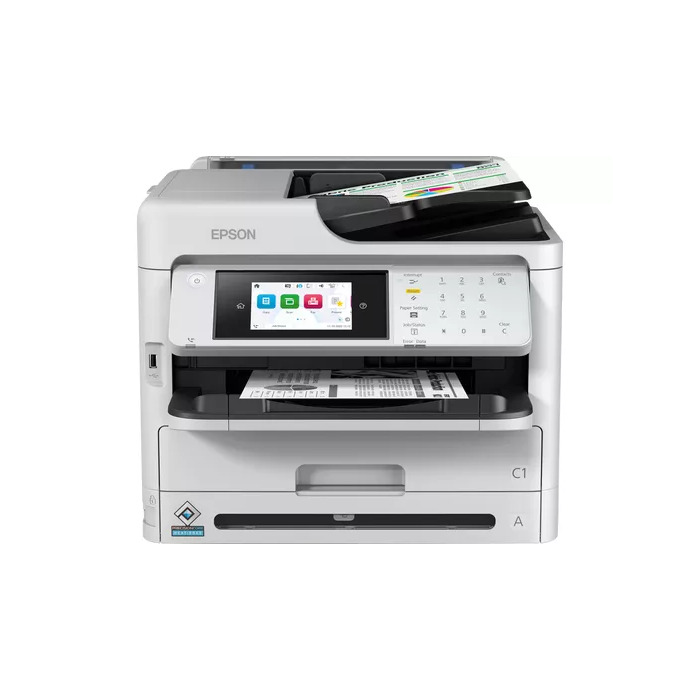
Description
The Epson WorkForce Pro WF-M5899DWF is a multifunction inkjet mono printer designed for offices and small workgroups. It delivers up to 34 ppm black printing at a maximum resolution of 1200 x 2400 dpi, supports automatic duplex printing and scanning, and includes copying, fax and network connectivity (Ethernet, Wi‑Fi). With a compact black-and-white design and a maximum monthly duty cycle of 5000 pages, it is suited to businesses that need reliable, high-volume mono output and integrated device management.
Advantages
This MFP offers low power consumption and a low Total Cost of Ownership (TCO). It provides fast First Page Out Time (FPOT) of approximately 4.8 seconds from ready state and high-yield ink options that can reach extended page counts between supplies changes. A large paper capacity (expandable with up to three optional 500-sheet cassettes for a total of up to 1,830 sheets) and single-pass duplex scanning reduce user intervention. The device supports a wide range of media including recycled paper, glossy stock and envelopes, and integrates with business software such as Epson Print Admin, Epson Remote Services and third‑party solutions (PaperCut, MyQ, Y Soft).
Suitable for
- Small workgroups and office departments requiring high-volume mono printing
- Environments needing duplex print and scan for administrative workflows
- Businesses that require networked devices with remote monitoring and user authentication
Key specifications
- Print technology: Inkjet; printing: Mono
- Maximum print resolution: 1200 x 2400 dpi; print speed (A4, black, normal): 34 ppm
- Copying: Mono, max copy resolution 600 x 1200 dpi
- Scanning: Colour, optical resolution 1200 x 2400 dpi; single-pass duplex scan
- Duplex functions: Automatic print and scan duplex
- Connectivity: Ethernet LAN, Wi‑Fi; direct printing supported
- Paper capacity: expandable up to 1,830 sheets with optional cassettes
- Maximum duty cycle: 5,000 pages per month; weight: 19 kg
How to use
Connect the WF-M5899DWF to your network via Ethernet or Wi‑Fi and install Epson drivers or supported print management software. Load paper into the standard cassette or optional trays, select duplex settings if required, and print from a PC or mobile device. Use the automatic document feeder for single-pass duplex scanning and place originals on the platen for single-page scans. Configure Epson Print Admin for user-authenticated secure printing and enable Epson Remote Services for cloud-based monitoring and maintenance alerts.
Usage recommendations
For optimal performance, use genuine high-yield Epson ink supplies and regularly update firmware. Keep paper settings matched to the media type and use the simple paper path for thicker or recycled media to reduce jams. Integrate with print management solutions to control costs and apply user authentication for secure access.
There are no reviews yet.