
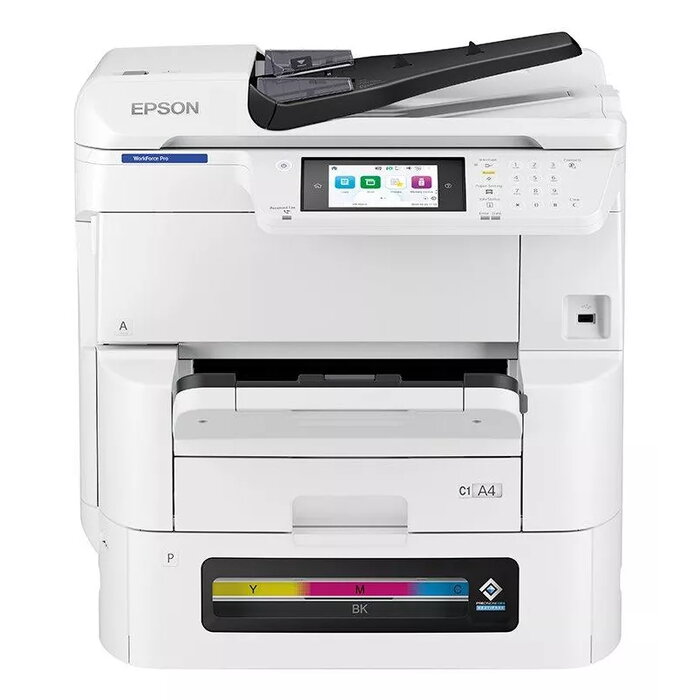
Description
The Epson WorkForce Pro EM-C8100RDWF is an A3 multifunction inkjet device designed for mid-to-high volume office environments. It delivers colour printing, copying and scanning with a maximum print resolution of 4800 x 1200 dpi and an optical scan resolution up to 1200 x 2400 dpi. The device supports duplex print and scan, Wi‑Fi and Ethernet connectivity, and large paper capacity to reduce interruptions during busy periods.
Advantages
High-yield ink system and a paper capacity of up to 1,835 sheets reduce the frequency of supply replacements and paper refills, helping to lower running costs and support predictable total cost of ownership. Heat-Free inkjet technology ejects ink without using heat, which reduces energy use and device warm-up time. The device is capable of long, uninterrupted print runs — up to 20,000 mono/colour pages without changing supplies — and offers a fast first-page-out time (5.5 seconds from ready mode), duplex scanning in a single pass and print speeds up to 25 ppm. Built-in network and management tools, including Epson Print Admin and Remote Services, plus compatibility with third‑party and embedded solutions, support secure printing and simplified IT management.
Suitable for
- Offices requiring A3 colour printing and duplex scan
- Workgroups with medium-to-high monthly print volumes
- Environments needing networked devices (Wi‑Fi and Ethernet)
- Businesses that prioritise low intervention and predictable running costs
Key specifications
- Print technology: Inkjet
- Printing: Colour printing, max resolution 4800 x 1200 dpi
- Copying: Colour copying, max copy resolution 600 x 600
- Scanning: Colour scanning, optical resolution 1200 x 2400 dpi
- Maximum paper size: A3
- Duplex: Automatic print and scan duplex
- Connectivity: Wi‑Fi, Ethernet LAN
- Duty cycle: Up to 75,000 pages per month
- Weight: 60.4 kg
- Colour: White
How to use
Install the device on a stable surface and connect it to your network via Ethernet or Wi‑Fi following the Epson setup guide. Load paper into the designated trays and install the high-yield ink packs according to the instructions. Use the control panel or Epson software to configure print and scan settings, set up duplex scanning and enrol users for Epson Print Admin if required. For large print jobs, use the device’s paper capacity and monitor supply levels to ensure uninterrupted operation.
Usage recommendations
For reliable performance and to maintain low running costs, use genuine Epson high-yield ink supplies, keep firmware and Epson Remote Services enabled for remote diagnosis, and schedule regular checks of paper trays and consumables. Use the single-pass duplex scanner for double-sided document workflows to maximise throughput.
There are no reviews yet.