
Description
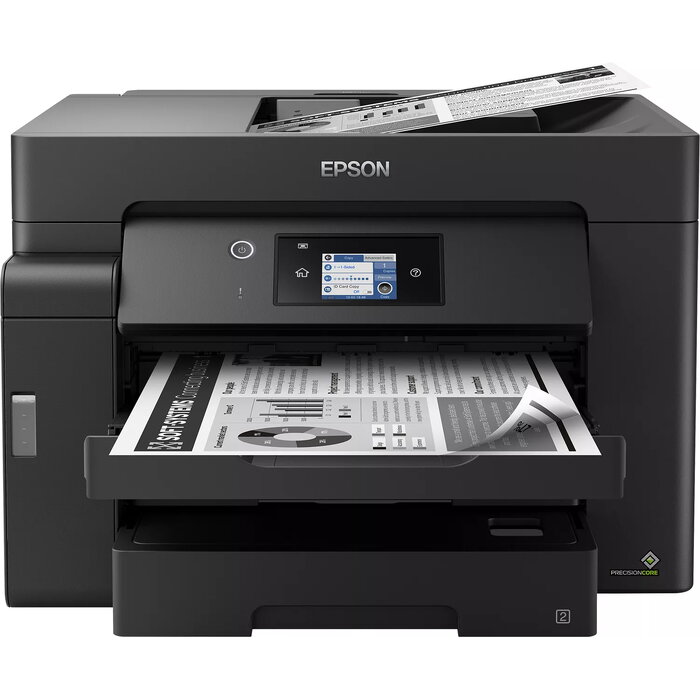
The Epson EcoTank ET-M16600 is a multifunction monochrome inkjet device designed for A3 and A3+ document tasks. It supports printing, scanning and copying with up to 4800 x 2400 dpi print resolution and an optical scan resolution of 1200 x 2400 dpi. With a print speed of 25 ppm (A4, black, normal), two 250-sheet front trays, a 50-sheet rear feed and a 50-sheet A3 automatic document feeder, the ET-M16600 handles large-format workflows while offering Wi‑Fi, Wi‑Fi Direct and Ethernet connectivity and a 6.8 cm LCD touchscreen for on-device control.
Advantages
The ET-M16600 delivers fast first-page output (around 5.5 seconds) and reliable double-sided printing. Large refillable EcoTank ink reservoirs and low-cost replacement ink bottles provide a low cost per page and the ability to produce high page yields (up to 7,500 pages from one set of replacement black ink). Epson’s pigment-based EcoTank ink provides smudge- and highlighter-resistant monochrome prints, while Heat-Free PrecisionCore technology reduces warm-up time and improves energy efficiency and reliability.
Suitable for
- Offices and workgroups requiring A3/A3+ mono printing and scanning
- Document-heavy environments where low running costs are important
- Users needing fast single- and double-sided printing and an A3 ADF for multi-page scans
- Mobile and networked work environments using Wi‑Fi, Wi‑Fi Direct or Ethernet
Key specifications
- Print technology: Inkjet (monochrome)
- Maximum print resolution: 4800 x 2400 dpi
- Print speed (black, A4, normal): 25 ppm
- Optical scanning resolution: 1200 x 2400 dpi
- Paper handling: two 250-sheet front trays, 50-sheet rear feed, 50-sheet A3 ADF
- Connectivity: Wi‑Fi, Wi‑Fi Direct, Ethernet LAN
- Control: 6.8 cm LCD touchscreen
- Duty cycle: up to 5,800 pages per month
- Weight: 20.2 kg
- Colour: Black
How to use
Set up the ET-M16600 by installing the supplied ink bottles into the large front-facing tanks following the bottle and tank markings; bottles are resealable and designed to minimise drips. Connect the device to your network using Wi‑Fi, Wi‑Fi Direct or Ethernet, or print from mobile devices using the Epson iPrint app. Load paper into the front trays or the rear feed for specialised media, and use the A3 ADF for multi-page scans or copies. Use the 6.8 cm LCD touchscreen to select print, scan or copy jobs and to access settings.
Usage recommendations
For consistent results and long-term reliability, use genuine Epson EcoTank pigment ink bottles, keep the ADF and scan glass clean, and choose the appropriate paper size and quality settings for A3/A3+ jobs. Regularly check ink levels and perform routine maintenance as described in the user guide.
There are no reviews yet.