
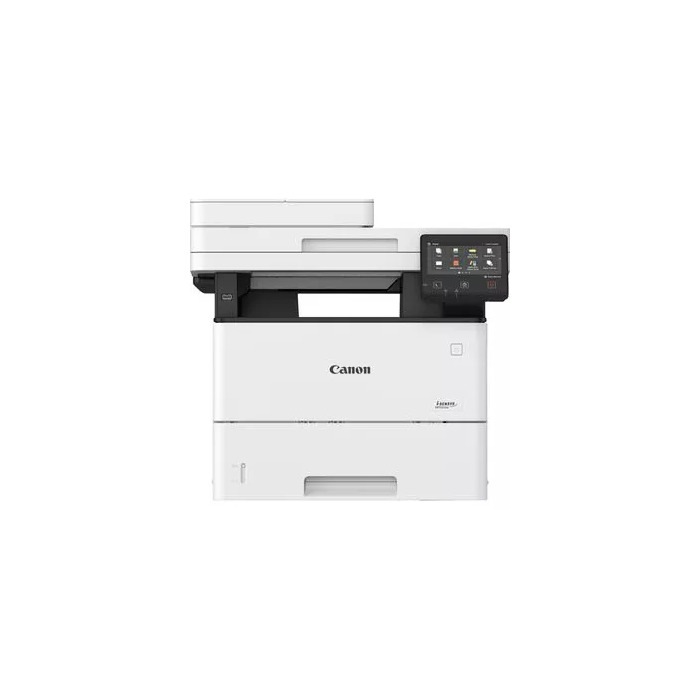
Description
The Canon i-SENSYS MF553DW is a compact multifunction black-and-white laser device offering fast mono printing, duplex copying and scanning, and flexible connectivity. Designed for small offices or workgroups, it delivers up to 43 ppm print speed at a maximum resolution of 1200 x 1200 dpi, colour scanning at 600 x 600 dpi and supports A4 paper formats. Built-in Wi‑Fi and Ethernet enable mobile and cloud workflows for printing and scanning.
Advantages
The MF553DW provides high-performance mono printing and single-pass duplex scanning in a space-efficient footprint. Native cloud integration and mobile printing options let users print and scan directly to services such as Google Drive, Dropbox and OneDrive. Security functions like Secure PIN for released prints and Verify System at Startup help protect documents and the device. Customisable on-screen shortcuts simplify common workflows and reduce operation time.
Suitable for
- Small offices and workgroups needing fast mono printing
- Environments requiring duplex copy and scan workflows
- Users who print or scan to cloud storage and mobile devices
- Offices that require basic fax and network connectivity
Key specifications
- Print technology: Laser, mono printing
- Print speed (A4, black): up to 43 ppm
- Maximum print resolution: 1200 x 1200 dpi
- Copying: mono copying, maximum copy resolution 600 x 600 dpi
- Scanning: colour scanning, optical resolution 600 x 600 dpi
- Duplex functions: automatic duplex copy, print and scan
- Connectivity: Wi‑Fi and Ethernet LAN
- Maximum ISO A-series paper size: A4
- Maximum duty cycle: up to 150,000 pages per month
- Product weight: 19.8 kg
- Product colour: Black and White
How to use
Connect the MF553DW to your network via Wi‑Fi or Ethernet and install the Canon PRINT Business app or use AirPrint/Mopria for mobile printing. Load A4 paper in the tray, select mono or duplex output as needed, and send print jobs from a PC, smartphone or directly from supported cloud services. Use the Application Library on the device display to create one‑touch shortcuts for frequent tasks such as scan-to-email or printing saved forms.
Usage recommendations
For consistent output and device longevity, use genuine Canon consumables, enable Secure PIN for confidential prints, and schedule regular firmware updates. For high monthly volumes, monitor duty cycle and plan maintenance accordingly.
There are no reviews yet.