
Description
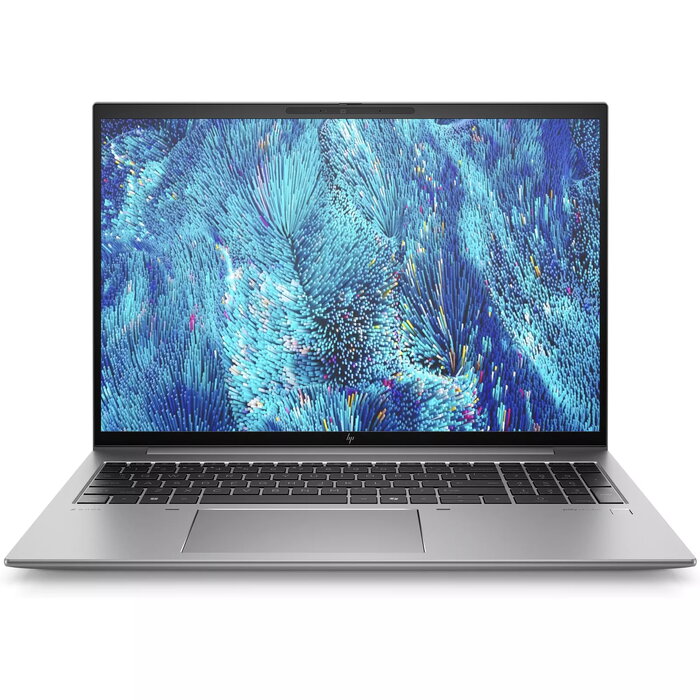
The HP ZBook Firefly 16 G11 is a mobile workstation that balances pro-level performance with portability. Featuring a 16″ WUXGA (1920 x 1200) display, an Intel Core Ultra 7 155H processor, 32 GB DDR5 memory and a 1 TB SSD, this silver laptop integrates Intel Arc graphics alongside an NVIDIA RTX A500 discrete GPU and runs Windows 11 Pro to support demanding professional workflows.
Advantages
This 16-inch ZBook delivers high performance in a compact and lightweight chassis (1.72 kg) suitable for mobile work. The combination of Intel Arc integrated graphics and an NVIDIA RTX A500 discrete card provides flexibility for both general productivity and GPU-accelerated tasks. Fast DDR5 memory, ample SSD storage and the Intel Core Ultra 7 155H processor ensure responsive multitasking and project handling. Built for professional use, it ships with Windows 11 Pro for business features and management.
Suitable for
- CAD and 3D modelling workflows that benefit from professional GPU acceleration
- Video editing and content creation with demanding rendering tasks
- Software development, data analysis and multitasking with large datasets
- Business professionals who need a portable, secure workstation for travel and remote work
Key specifications
- Display: 16″ WUXGA (1920 x 1200)
- Processor: Intel Core Ultra 7 155H
- Memory: 32 GB DDR5-SDRAM
- Storage: 1 TB SSD
- Graphics: Intel Arc (integrated) and NVIDIA RTX A500 (discrete)
- Operating system: Windows 11 Pro
- Weight: 1.72 kg
- Colour: Silver
- Manufacturer code (MPN): 98N34ET#UUW
- EAN: 198122905638
How to use
Set up the HP ZBook Firefly 16 G11 by connecting the charger and performing the initial Windows 11 Pro setup. Install required professional applications and GPU drivers (NVIDIA and Intel) to ensure the discrete and integrated graphics function as expected. Use the included system settings to configure power profiles and display preferences for either on-the-go battery life or maximum performance while plugged in. For demanding tasks, connect to external storage or displays via available ports as needed.
Usage recommendations
For optimal performance in professional applications, keep graphics drivers and Windows updates current, use the high-performance power plan when rendering or running GPU-accelerated workloads, and ensure adequate cooling clearance during long sessions. Regularly back up important projects to external or cloud storage.
There are no reviews yet.