
Description
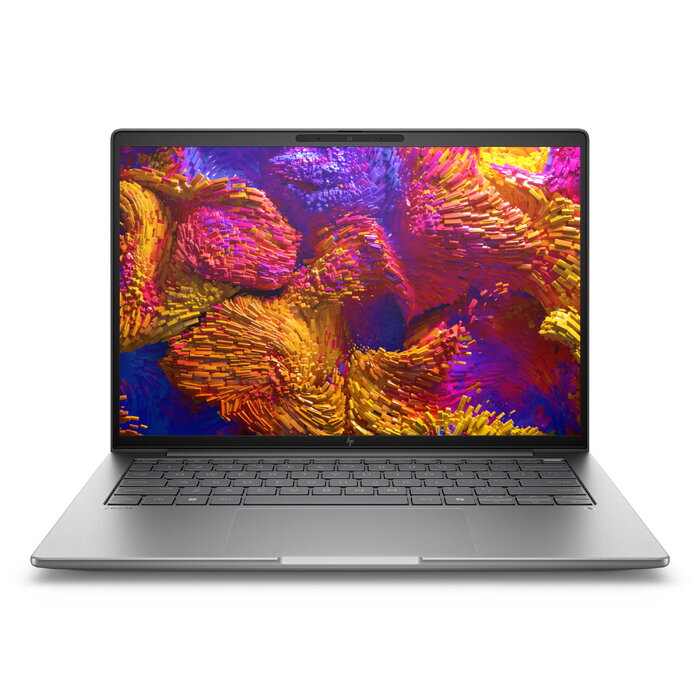
The HP ZBook 8 G1ak is a 14″ mobile workstation that pairs pro-level performance with a compact, clamshell form factor. Powered by an AMD Ryzen AI 7 PRO 350 processor and AMD Radeon 860M graphics, it supports demanding creative workflows, 3D review, and AI-accelerated tasks while running Windows 11 Pro. The chassis in silver houses a WQXGA (2560 x 1600) IPS display with HP DreamColor, 64 GB of DDR5-5600 memory and a 2 TB PCIe Gen4 NVMe SSD for fast storage and multitasking.
Advantages
This mobile workstation delivers high processing power with an 8-core, 16-thread AMD Ryzen AI 7 PRO 350 CPU, dedicated Radeon graphics and ample memory to handle multiple professional applications concurrently. The WQXGA DreamColor display provides wide color coverage and sharp detail for design and content review. Built-in Wi‑Fi 7 and modern connectivity, along with a long-lasting battery and efficient power delivery, support productivity on the move.
Suitable for
- 3D design review and visualization
- AI-assisted content creation and editing
- Multitasking with professional applications
- On-site work and remote professional workflows
Key specifications
- Processor: AMD Ryzen AI 7 PRO 350, up to 5.0 GHz boost, 8 cores / 16 threads (base 2.0 GHz)
- Operating system: Windows 11 Pro
- Display: 35.6 cm (14″) WQXGA (2560 x 1600) IPS with HP DreamColor
- Graphics: AMD Radeon 860M
- Memory: 64 GB DDR5-5600 (2 × 32 GB)
- Storage: 2 TB PCIe Gen4 NVMe SSD
- Wireless: Wi‑Fi 7 (802.11be), Bluetooth 5.4; Ethernet LAN supported
- Battery: 62 Wh lithium polymer; power adapter up to 140 W
- Weight: approximately 1.44 kg
- Color: Silver
How to use
Set up the HP ZBook 8 G1ak on a stable surface, connect the power adapter for initial charging, and follow the Windows 11 Pro setup prompts. Use the HP DreamColor display settings and graphics drivers to calibrate color if precise color accuracy is required. Install professional applications and any AI tools you intend to run; the system supports local AI processing via the AMD Ryzen AI platform. Connect to Wi‑Fi 7 or Ethernet for network access and transfer large project files to the internal 2 TB SSD for fast load and save times.
Usage recommendations
For sustained heavy workloads, keep the laptop on a hard, ventilated surface and use the latest BIOS and driver updates from HP. Charge the battery before long mobile sessions and store large active projects on the internal SSD to minimize latency. Regularly back up important data to external storage or cloud services.
There are no reviews yet.