
Description
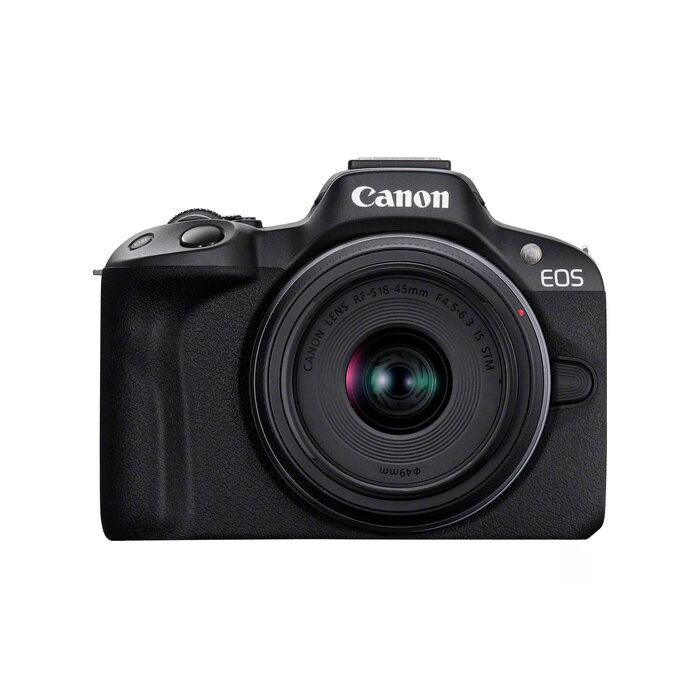
The Canon EOS R50 Black 24.2MP 4K Video is a compact mirrorless camera designed for everyday photography and content creation. It integrates a 24.2MP CMOS sensor with a maximum image resolution of 6000 x 4000, delivers 4K Ultra HD video recording, and supports a fast mechanical/electronic shutter with speeds up to 1/8000s. With an 18–45mm focal length range and a lightweight body of approximately 0.328 kg, this MILC (mirrorless interchangeable-lens camera) balances image quality and portability for stills and video projects.
Advantages
The camera provides high-resolution 24.2 MP stills and detailed 4K video capture in a compact form factor. Fast shutter capability up to 1/8000s helps freeze motion, while the CMOS sensor ensures good image quality and color reproduction. Its lightweight 328 g body and standard focal length range (18–45mm) make the model easy to carry and suitable for travel, street, and general-purpose shooting. The black finish offers a discreet professional look.
Suitable for
- Travel and street photography
- Content creation and vlogging with 4K video
- Everyday portraits and family photos
- Hybrid shooters who need both stills and video
Key specifications
- Brand: Canon
- Model: EOS R50 (MPN: 5811C013, EAN: 4549292205046)
- Sensor: 24.2 MP CMOS
- Maximum image resolution: 6000 x 4000
- Video: 4K Ultra HD recording
- Focal length range: 18–45 mm
- Maximum shutter speed: 1/8000 s
- Camera type: MILC (mirrorless interchangeable-lens camera)
- Weight: 0.328 kg
- Color: Black
How to use
Mount a compatible RF or adapted lens covering the 18–45mm range, insert a fully charged battery and a memory card formatted for the camera. Power on the EOS R50 and select an appropriate shooting mode (Auto, Program, Aperture Priority, Shutter Priority, or Manual) depending on the scene. For fast-moving subjects use a higher shutter speed approaching 1/8000s; for low-light situations increase ISO or use a wider aperture. For 4K video, set the video recording mode and check the framing and audio levels before recording. Use the camera’s menu to configure image quality, video resolution, and stabilization settings as needed.
Usage recommendations
Use lightweight, compatible lenses to preserve the camera’s portability. When recording 4K video, monitor storage space and battery level, and consider external audio options for improved sound. Regularly update firmware and format memory cards in-camera to maintain performance.
There are no reviews yet.