
Description
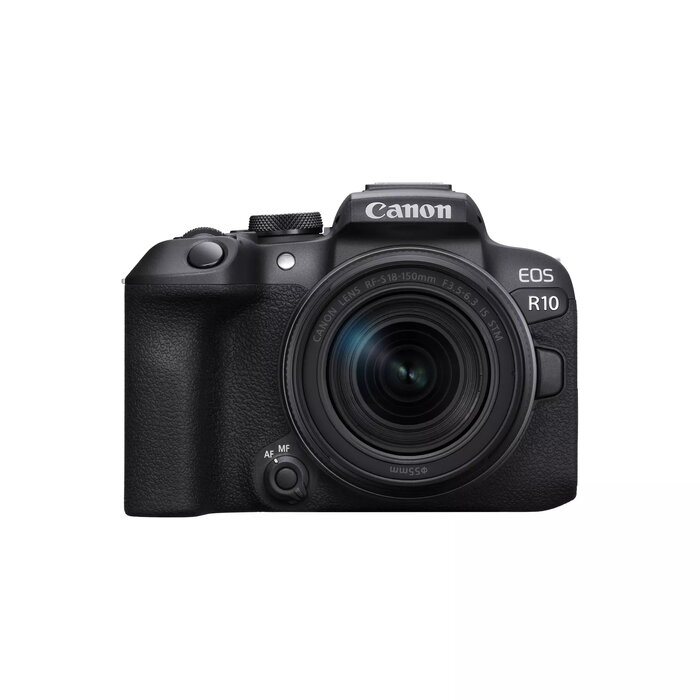
Canon EOS R10 is a mirrorless (MILC) camera with a 24.2 MP CMOS sensor and a maximum image resolution of 6000×4000 pixels. The compact black body weighs approximately 0.382 kg and integrates an electronic viewfinder, a touchscreen display and 4K Ultra HD video capability. Built for photographers seeking a lightweight, versatile camera, the EOS R10 supports stills and video recording and includes Wi‑Fi connectivity for image transfer and remote control.
Advantages
The 24.2 MP CMOS sensor delivers detailed 6000×4000 images suitable for large prints and cropping while maintaining image quality. The mirrorless design and lightweight 0.382 kg body improve portability for travel and event shooting. An electronic viewfinder and touchscreen simplify framing and menu navigation, and 4K Ultra HD recording offers high-resolution video capture. Built-in Wi‑Fi enables wireless file transfer and remote operation from compatible devices.
Suitable for
- Travel and street photography where portability matters
- Events, family and everyday photography
- Content creators and vloggers requiring 4K video
- Enthusiast photographers who need high-resolution stills for printing or editing
Key specifications
- Sensor: 24.2 MP CMOS sensor
- Maximum image resolution: 6000 × 4000 pixels
- Camera type: Mirrorless (MILC)
- Body weight: approx. 0.382 kg
- Color: Black
- Viewfinder: Electronic viewfinder
- Display: Touchscreen
- Video: 4K Ultra HD recording
- Connectivity: Built-in Wi‑Fi
How to use
Charge the battery and insert a compatible memory card before first use. Attach a compatible RF or adapted EF lens, power on the camera and set basic shooting parameters using the touchscreen or physical controls. Use the electronic viewfinder for stable framing in bright light and the touchscreen for quick focus point selection and menu navigation. For video, select 4K recording mode and check audio and exposure settings before starting recording. Use Wi‑Fi settings in the camera menu to connect to a smartphone or tablet for image transfer and remote shooting.
Usage recommendations
For best results, use quality lenses matched to the EOS R system, format images and videos according to project needs, and keep firmware updated. When traveling, carry a spare battery and memory card; for low-light situations consider fast-aperture lenses or stabilized lenses to reduce blur.
There are no reviews yet.