
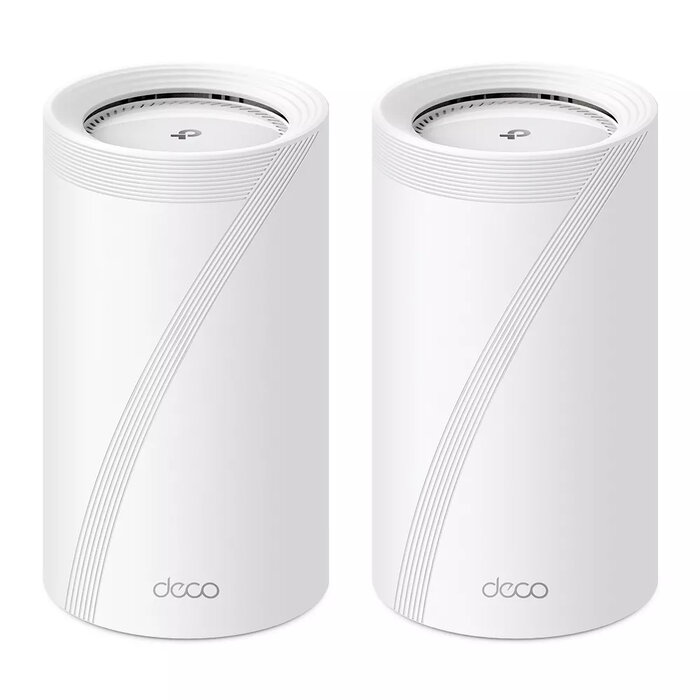
Description
The TP-Link BE19000 is a Tri‑Band Wi‑Fi 7 whole‑home mesh system offering combined wireless speeds up to 19 Gbps across 2.4 GHz, 5 GHz and a dedicated 6 GHz band. Designed to deliver multi‑gigabit wired and wireless connectivity, the system includes dual 10 Gbps capable WAN/LAN ports (RJ45 and RJ45/SFP+ combo), additional 2.5 Gbps ports and a USB 3.0 port. BE19000 uses Mesh and MLO technologies to aggregate wired and wireless backhaul for higher throughput, lower latency and broader, more reliable coverage while HomeShield provides network protection and parental controls.
Advantages
BE19000 combines Wi‑Fi 7 performance with flexible multi‑gigabit wired options, including 10 Gbps ports and 2.5 Gbps ports, enabling future‑proofed home networks. The dedicated 6 GHz band reduces congestion and increases available bandwidth for compatible devices. Mesh with AI‑driven roaming and MLO backhaul aggregation improves overall throughput and stability for uninterrupted streaming and low‑latency applications. Integrated HomeShield features offer network security, device scanning and parental controls managed from the Deco app.
Suitable for
- Homes requiring whole‑home coverage with multi‑gigabit speeds
- High‑density device environments (smart homes, multiple 4K/8K streams, gaming)
- Users with fiber or copper internet connections needing 10 Gbps or aggregated backhaul
- Families that need parental controls and remote device protection
Key specifications
- Wi‑Fi standard: Wi‑Fi 7 (802.11be) with backward compatibility
- Frequency bands: Tri‑band — 2.4 GHz / 5 GHz / 6 GHz
- Maximum WLAN data rate: up to 19,000 Mbit/s
- Ethernet ports: includes two 10 Gbps WAN/LAN (one RJ45, one RJ45/SFP+ combo) plus additional 2.5 Gbps ports (number per unit as supplied)
- USB: USB 3.0 port
- Antennas: 8 internal antennas
- Management: TP‑Link Deco app (iOS and Android), voice control via Amazon Alexa and Google Assistant
- Security: HomeShield network protection, parental controls, SPI firewall
- Power: AC input 100–240 V
- Color: White
How to use
Place Deco units around your home to ensure even coverage, connecting one unit to your modem or incoming WAN. Use wired 10 Gbps or 2.5 Gbps connections where available to create a high‑capacity backhaul, or allow the mesh to use wireless backhaul with MLO aggregation for combined wired and wireless throughput. Install the TP‑Link Deco app on a smartphone, follow the three‑step setup to create a single network name for all units, and configure HomeShield and parental controls as required.
Usage recommendations
For best performance, connect the primary Deco to your modem with a wired 10 Gbps link if supported by your ISP and use wired backhaul between nodes where possible. Place units in open areas away from large metal objects and thick walls to maximize 6 GHz band coverage, and keep firmware and the Deco app updated for security and feature improvements.
There are no reviews yet.